22 | Attaching the Paper Basket
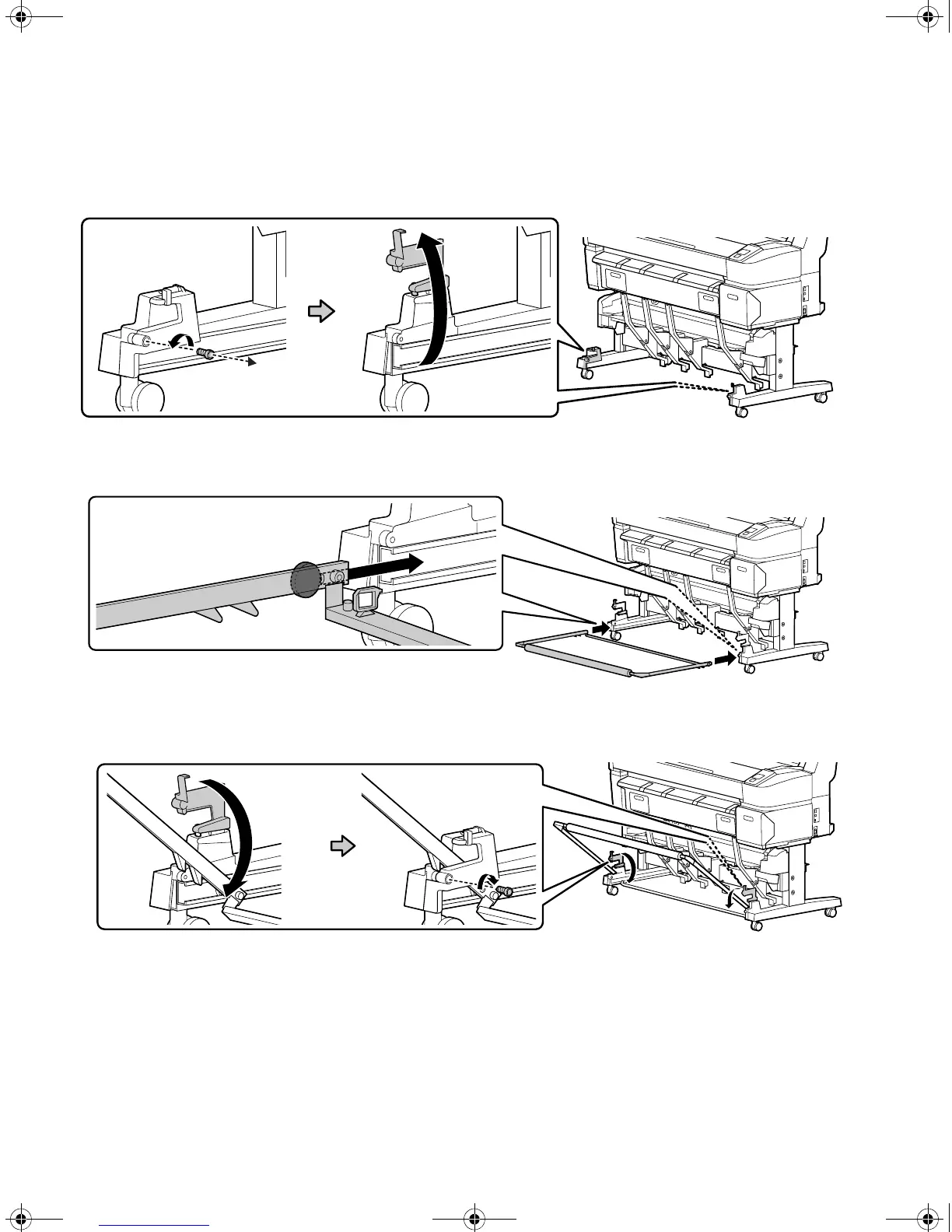
2. Remove the bolts from the front of the printer stand and then open the rail covers.
3. Insert the discs on the outside of the basket frame into the rails.
4. Pivot the basket frame and close the rail covers. Replace the bolts.
T-Series_Setup_Guide_S.book Page 22 Tuesday, September 16, 2014 2:53 PM



 To Next Page
 Loading...









