261
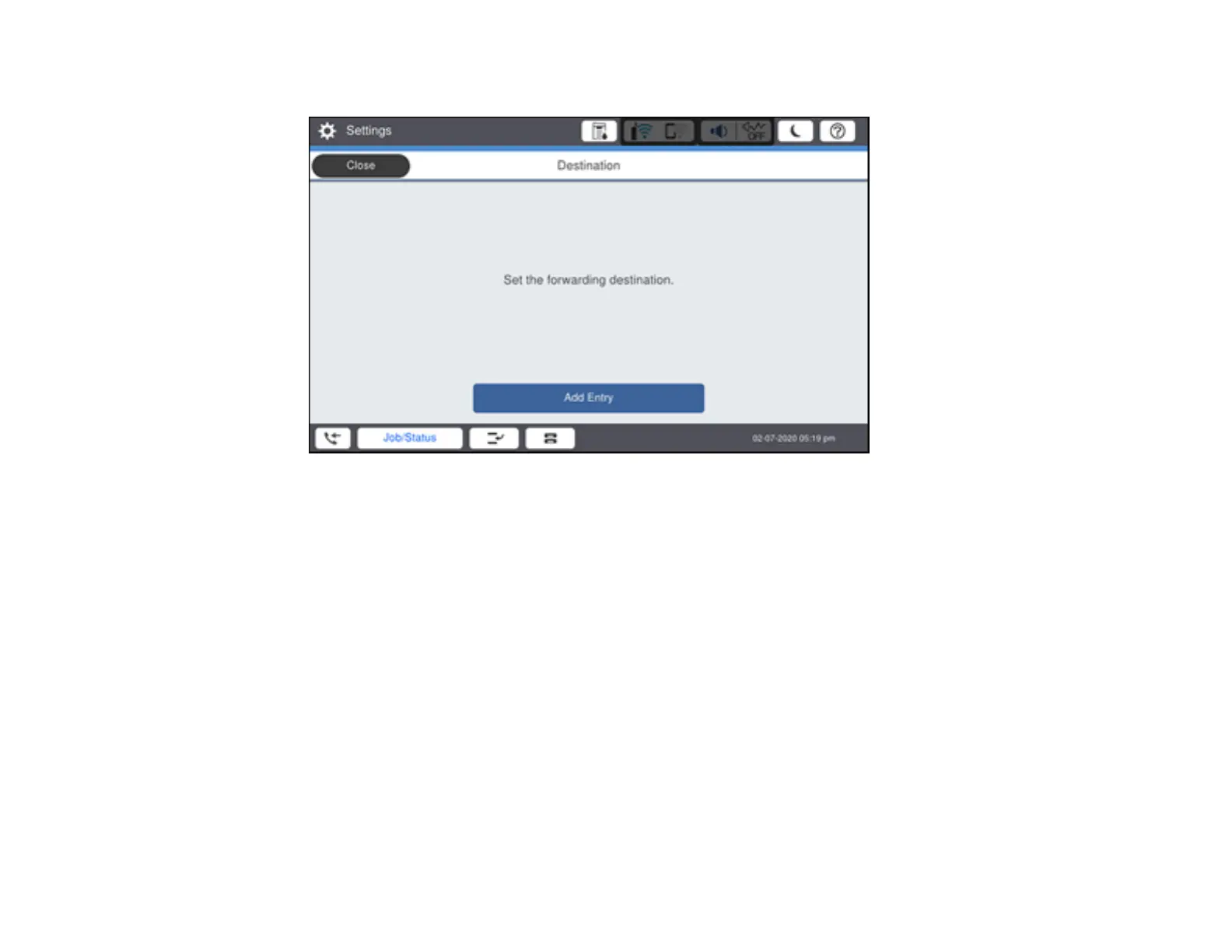
You see a screen like this:
Note: If you want to print the fax automatically before forwarding it, select Yes and Print.
3. Select Add Entry and select the forwarding destinations from the contacts list.
4. When you are finished selecting your forwarding destinations, select Close.
5. Select OK.
6. Confirm the displayed forwarding destinations and select Close.
7. Select an Options When Forwarding Failed option to choose whether you want to print the faxes
or save them in the printer's inbox if forwarding received faxes fails.
Parent topic: Receiving Faxes
Viewing a Fax on the LCD Screen (Using the Fax Box)
You can save received faxes in your product's memory and view them on the LCD screen.
Note: The Inbox can be locked by an administrator. If you cannot access the Inbox, contact your
administrator for assistance.













 To Next Page