4
Part Names and Functions
Part Names and
Functions
Front/Right side
7
2 31
4
5
6
10
9
8
11
1
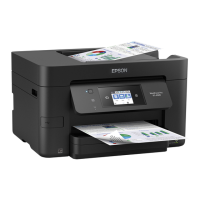
Control panel
Allows you to make settings and perform operations
on the printer. Also displays the printer’s status.
&
“Control Panel” on page 7
2
ADF cover F
Open when paper is jammed in the ADF (Automatic
Document Feeder).
3
ADF (Automatic Document Feeder)
Device that automatically loads documents.
4
Face down tray
Holds the print outs.
5
MP tray
Loads the paper. You can load all types of paper (thick
paper and envelopes) that can be used in this printer.
See the User's Guide for details.
6
Cover J
Open when paper is jammed.
7
Cover E
Open when paper is jammed.
8
Paper cassette 1,2,3,4 (C1,C2,C3,C4)
Loads the paper. See the User's Guide for the types of
paper that can be loaded in the printer.
9
Front cover L
Open when paper is jammed or when replacing the
maintenance box.
10
Ink cartridge cover A
Open when replacing the ink cartridge.
11
External interface USB port
Connects memory devices.
Front/Left side
1
4
5
3
2
1
Scanner glass
Place the document face-down on the scanner glass.
2
Cleaner
This is a service part for cleaning the inside of the
printer. (It can also be used as a substitute for a soft
cloth when wiping the scanner glass surface.)
3
Maintenance box cover H
Open when replacing the maintenance box. You need
to open front cover L rst.
4
Face up tray
Holds the print outs.
5
Duplexing unit D1
Open when paper is jammed.



 To Next Page
 Loading...