Epson WorkForce Pro WP-4015 DN
Conguration Guide - Windows 8
PAGE 3 of 8 >>
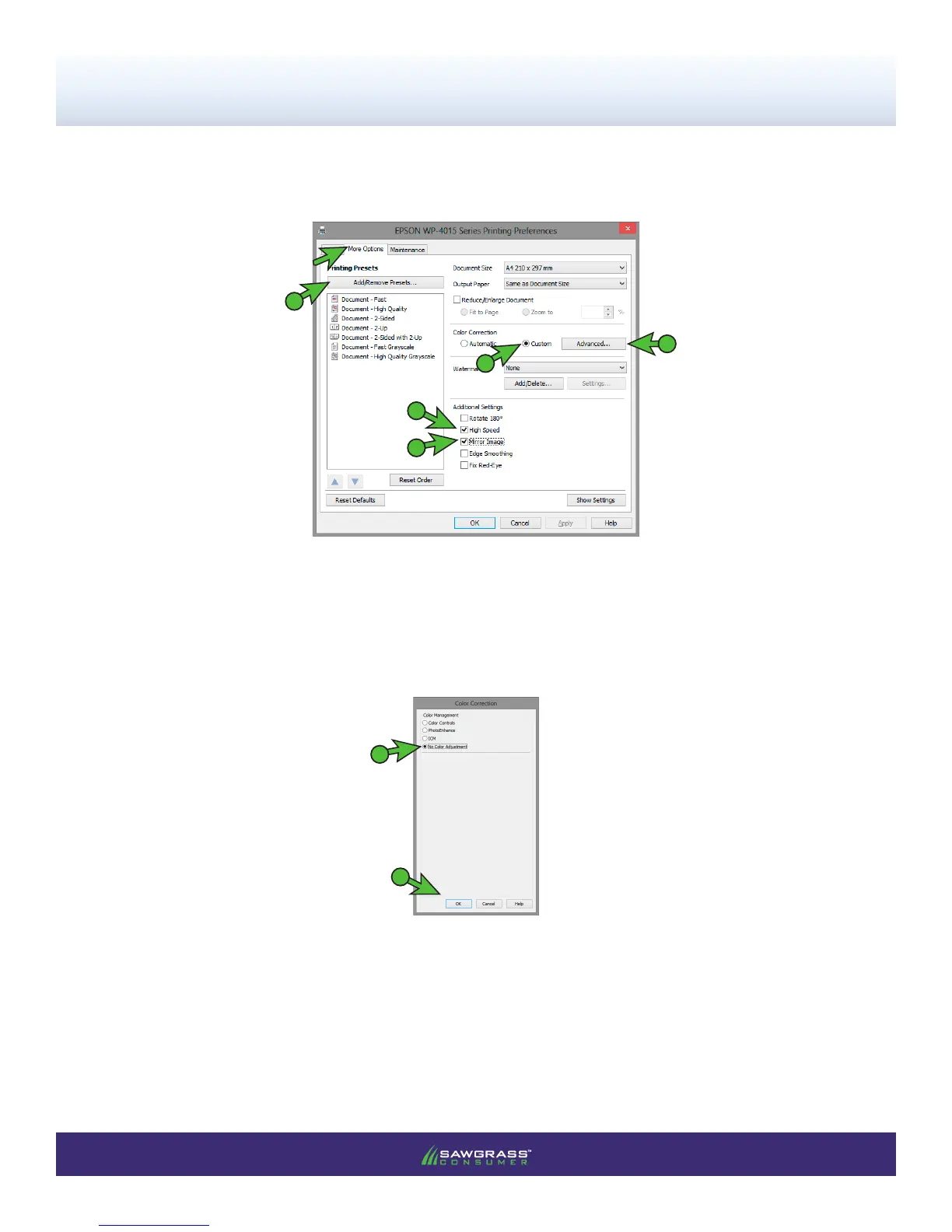
4.) In the EPSON WP-4015 Series Printing Preferences window, click the More Options tab and match
your settings to those shown below (see FIGURE 4):
FIGURE 4
A
A. Check Mirror Image
B
B. Check High Speed
C
E. Click Add/Remove Presets...
D
E
C. Check Custom
D. Click Advanced to open the Color Correction window (see FIGURE 5)
FIGURE 5
1
2
1. Check No Color Management
2. Click OK



 To Next Page
 Loading...