No saque los cartuchos de tinta de su envoltorio hasta que esté listo para instalarlos.
Los cartuchos están embalados herméticamente para garantizar su fiabilidad.
Do not open the ink cartridge packages until you are ready to install the ink.
Cartridges are vacuum packed to maintain reliability.
No conecte la impresora a
la computadora todavía.
Do not connect to your
computer yet.
NO conecte el cable USB hasta que se le indique.
Do NOT connect the USB cable until prompted.
1
2
1
3
5
7
8
1
3
Windows / Mac OS
®
X
3
Cuando termine, retire el CD. ¡Está listo para hacer fotocopias, imprimir
y escanear! Consulte las instrucciones al dorso de este póster o el
Manual del usuario en formato electrónico.
When you’re done, remove the CD. You’re ready to copy, print, and scan!
See the instructions on the back of this sheet or in your on-screen User’s
Guide.
4
6
No apague la impresora mientras la tinta se esté cargando o gastará tinta.
Don’t turn off the printer while it is priming or you’ll waste ink.
En Windows
®
, si aparece la pantalla Nuevo
hardware encontrado, haga clic en Cancelar y
desconecte el cable USB.
In Windows
®
, if you see a Found New Hardware
screen, click Cancel and disconnect the USB
cable.
1
Mantenga los cartuchos de tinta fuera del alcance de los niños y no ingiera la tinta.
Keep ink cartridges out of the reach of children and do not drink the ink.
Seleccione su idioma, si es necesario.
Select your language, if necessary.
2
Los cartuchos de tinta incluidos tienen un menor rendimiento debido al proceso de
inicialización. Este proceso se realiza sólo la primera vez que enciende el producto
y garantiza un mejor rendimiento.
The ink cartridges that come with your printer have a lower yield due to the ink
system charging process. This process is carried out the first time you turn on your
printer and guarantees better performance.
3
2
4
Espere aproximadamente 2 minutos hasta que se cargue el sistema de
suministro de tinta.
Wait approximately 2 minutes while the ink delivery system primes.
9
Para bajar el panel de control,
apriete la barra de liberación
que se encuentra debajo del
mismo y presione el panel de
control hacia abajo.
To lower the control panel,
squeeze the release bar
underneath and push the control
panel down.
2
Deslice las guías laterales
hacia afuera.
Slide the edge guides outward.
Cargue el papel con la cara imprimible hacia abajo.
Load paper with the printable side facedown.
4
6
Guía de instalación
Start Here
Lea estas instrucciones antes de utilizar la impresora.
Read these instructions before using your printer.
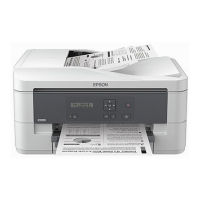
WorkForce
®
K301
1
Retire todo el material de protección
Remove all protective materials
2
Encienda la impresora
Turn on the printer
Instale los cartuchos de tinta
Install ink cartridges
3
Cargue papel
Load paper
4
Instale el software
Install software
5
5
Mantenga la bandeja de papel plana mientras la introduce en la
impresora.
Keep the paper cassette flat as you insert it into the printer.
Para seleccionar Español, pulse el
botón OK.
Press the or buttons to select
English, then press OK.

 Need help?
 General








 To Next Page