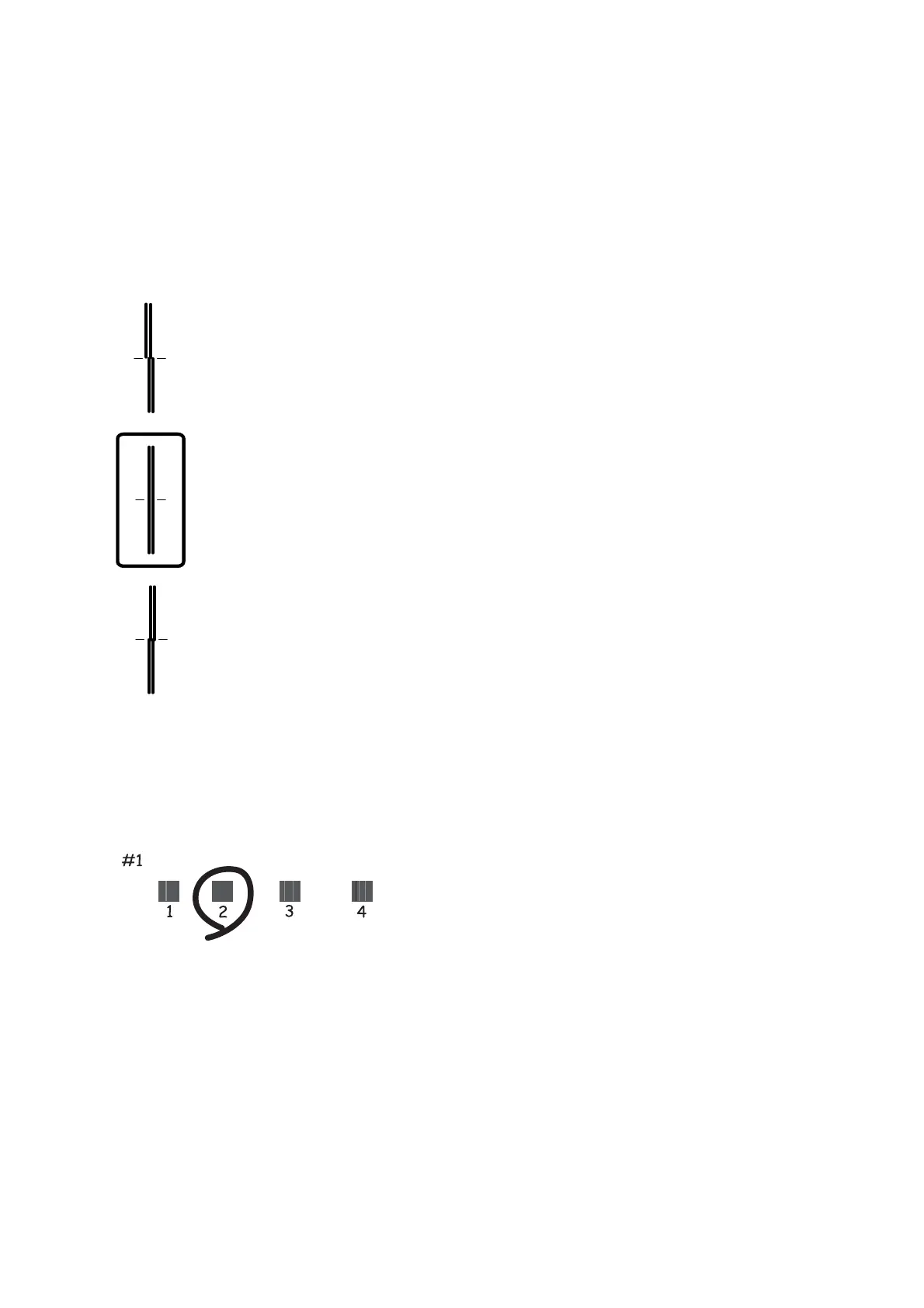
4. If vertical lines look misaligned or if your printouts look blurry, go to step 5. If you see horizontal banding at
regular intervals, go to step 11.
5. Select Basic Alignment, and then follow the on-screen instructions to print an alignment pattern.
6. Follow the on-screen instructions to align the print head.
Find and select the number for the pattern that has the least misaligned vertical line.
7.
Select Ver tic al Alignment, and then print an alignment pattern.
8. Find and select the number for the most solid pattern in each group.
9. Select Ruled Line Alignment, and then print an alignment pattern.
User's Guide
Maintaining the Printer
159








 To Next Page