Date :
0 click 1st click
Crown Free
Turn clockwise for date
change
2H button
Chronograph Start/Stop
Restart
Chronograph Start/Stop
Restart
4H button
Chronograph Reset
Split
Split release
Chronograph Reset
Split
Split release
[*1] How to set the "0" position
Pull crown out to the 2nd click position.
↓
Press 2H button for 2 seconds.
↓
Press 4H button repeatedly to set it to "0" position.
↓
Press 2H button for 2 seconds.
↓
Press 4H button repeatedly to set it to "0" position.
↓
Press 2H button for 2 seconds.
↓
Press 4H button repeatedly to set it to "0" position.
↓
Push crown back to normal position.
Cal.
Operation-01
31/Jul./'14
Rev. : 03
YM92A
Second chronograph hand turns a full round and can now be
set to correct "0" position.
Hour and minute chronograph hand turns a full round and
can now be set to correct "0" position.
Press 2H button for 2 seconds here will allow you to resume the procedure again as
indicated by the arrow if necessary.
[*1]
2nd click
Time setting
[*1]
Crown position
1/20 second chronograph hand turns a full round and can
now be set to correct "0" position.
0 ® 1 ® 2
2H button
4H button
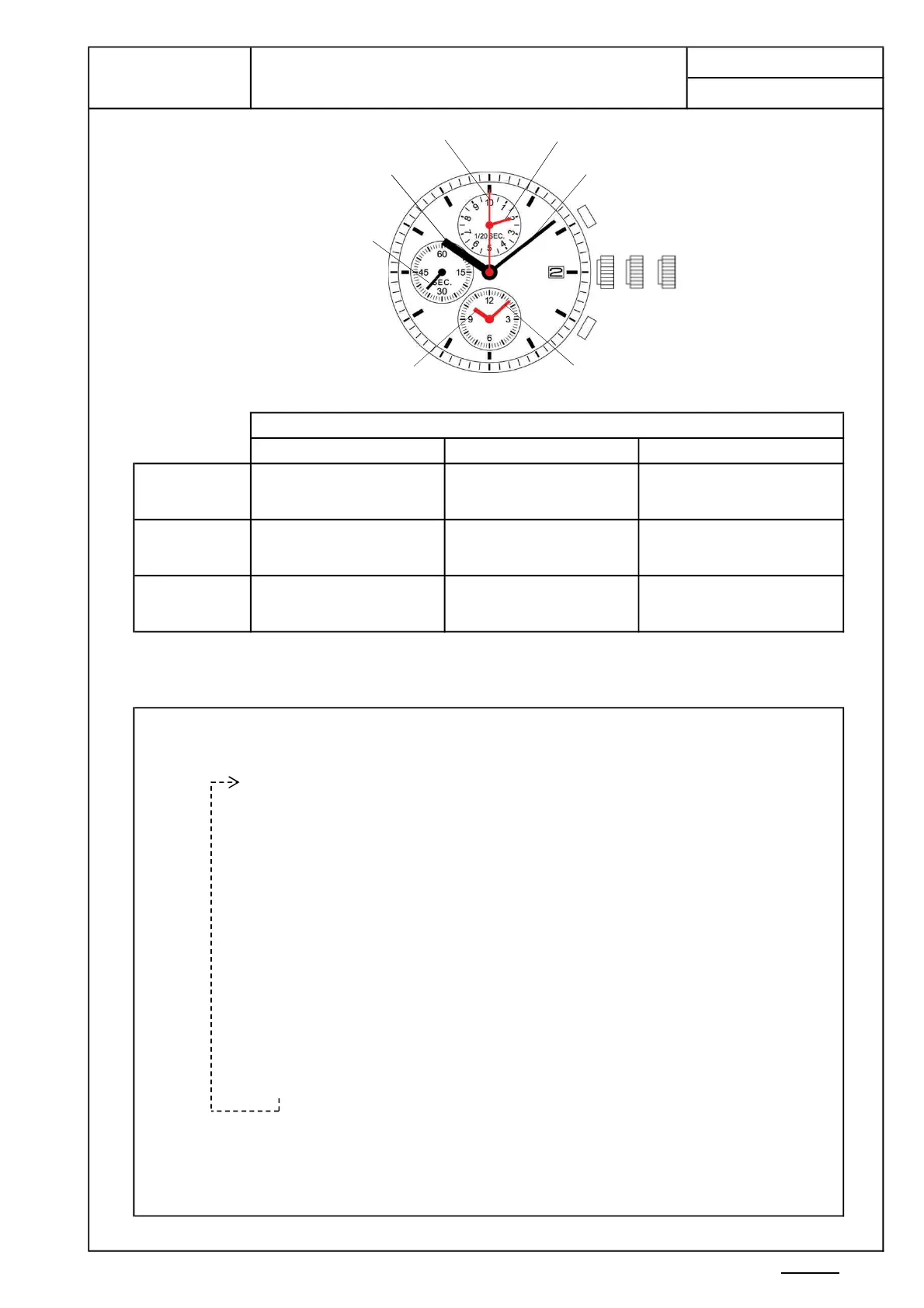
Minute hand
Second chronograph hand
1/20 second chronograph hand
Hour chronograph hand
Crown
Hour hand
Small second hand
Minute chronograph hand
P.10-01


 To Next Page