FR
ES
PT
IT
EL
PL
UA
RO
EN
70
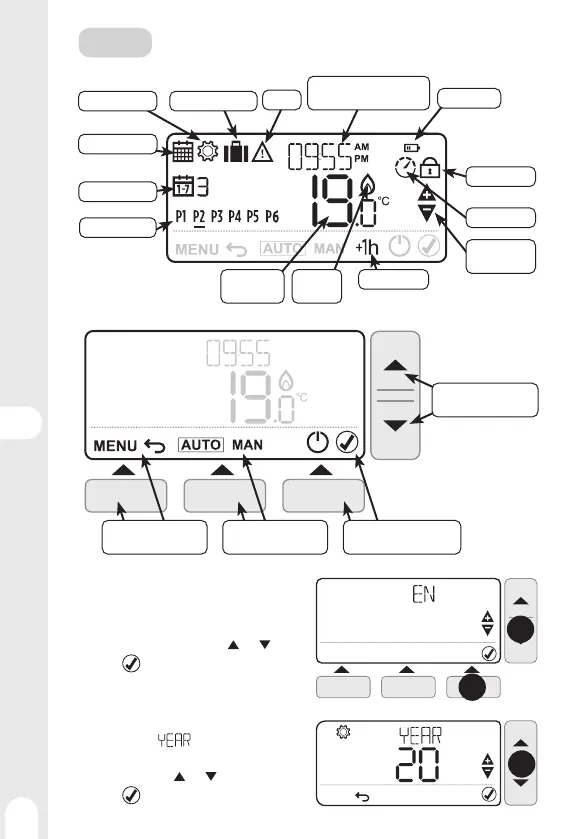
First start-up
When inserting the batteries for the fi rst time, it
is necessary to set the user's language, the date
and time, and the type of programming.
1 - Choose the language using the
and keys
2 - Press
(Right key) to validate.
3 - the indication
is displayed and the year
is fl ashing
4 - Set the year using
and keys
5 - Press
to validate.
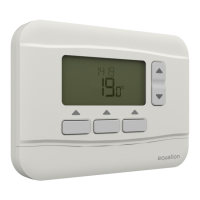
Displays
Day of the week
Heat
demand
Ambient
temperature
Settings menu
Program Menu
Low Batteries
Locked keys
1h Override
Temperature
Settings
Optimum start
• Time display
• Set temperature
Program ranges
Holiday Mode
Alert
USE
Controls and navigation
• Set the temperature
• Navigate in the menus
Choose the operating
mode
• Displaythe menu
• Cancel
• Validate
• Switch o (Frost )
4
1
2


 To Next Page