Page 3Page 2
For more information and support visit: http://bit.ly/30040_alarm
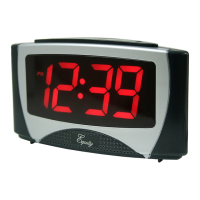
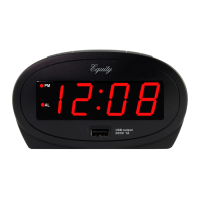
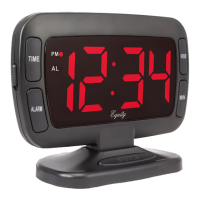
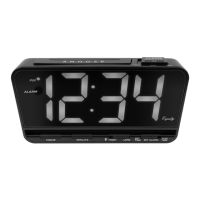
1.8INCH LED
ALARM CLOCK
POWER UP
1. Insert the 120 volt power cord into an outlet.
Optional: Insert 1 “AA” battery (sold separately) for backup.
2. The Time Display will flash 12:00, an indication to set the time.
TIME SETTING
Continuously hold down the TIME Button while setting your hour
and minutes.
1. While holding the TIME Button, press the HOUR Button to
set your hour. Note: The PM Indicator will appear when you
advance to PM time.
2. While holding the TIME Button, press the MINUTE Button to set
your minutes.
3. When the correct time is shown on the display, release the
TIME Button.
ALARM TIME SETTING & OPERATION
Continuously hold down the ALARM Button while setting your
alarm hour and minutes.
1. While holding the ALARM Button, press the HOUR Button
to set your alarm hour. Note: The PM Indicator will appear
when you advance to PM time.
2. While holding the ALARM Button, press the MINUTE Button
to set your alarm minutes.
3. When the correct alarm time is shown on the display, release
the ALARM Button.
4. Move the Alarm ON/OFF Switch to the ON position to turn
the alarm on. Note: The Alarm Indicator will appear when the
alarm is on.
5. The alarm will sound for 8 to 9 minutes before shutting o
automatically. Manually turn o an alarm by moving the
Alarm ON/OFF Switch to the OFF position.
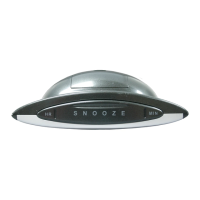
SNOOZE
When alarm sounds, press the SNOOZE Button to silence alarm for
9 minutes. Snooze function can be repeated many times if desired.
BATTERY BACKUP
• Insert 1 “AA” battery (sold separately) into the Battery
Compartment on the bottom of the clock. This will keep
your time and alarm settings saved until power is restored.
• The LED display will not light-up and the alarm will not sound
at the preset alarm time until power is restored.
Note: If there is no battery installed and the power is interrupted,
the display will flash 12:00 and the time and/or alarm will need
to be set again.
STAY IN TOUCH
Ask questions, watch set up videos, and provide feedback on our social media
outlets. Follow La Crosse Technology on Youtube, Facebook, Instagram, and
X (Twitter).
POWER REQUIREMENTS & DIMENSIONS
Power: 120V Power Cord
Battery Backup: “AA” battery (not included)
Dimensions: 5.98" L x 2.76" W x 4.09" H
15.19 cm L x 7.01 cm W x 10.39 cm H
MODEL: 30040
DC: 020824

 Need help?
 General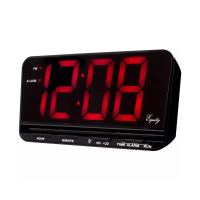

 To Next Page