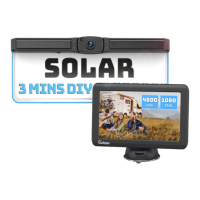
INSTRUCTIONS MANUAL
3
NOTE: Do not apply excessive force to any of the components
contained within this kit. Otherwise, it might result in damaged or
non-functional parts.
● Do not disassemble or attempt to repair any part of the camera
system.
● Children should be supervised to ensure that they do not play with
the appliance.
● To avoid an electrical shock hazard, relevant actions should be
performed by qualified and certified professionals. Disconnect all sources
of power to the camera before installing.
● To reduce the risk of fire, no test when smoking. No use a flame.
● Use this product within the voltage range specified. Failure to do so
can cause electronic shock or product malfunction.
● Where the power cable may press a metal case, cover the cable with
a friction tape. A short circuit or disconnected wire may cause a fire.
● Do not install the monitor where it may obstruct drivers view or
obstruct an air bag device.
● Do not operate the monitor while driving, as it may cause an
accident.
● Dropping the unit may cause possible mechanical failure.
4.INSTALLATION
• Use insulated tools when working with power suppl
• Ensure the power supply circuit has circuit protection
y
• Use correct safety equipment when working at elevated levels
• Do not allow water to enter the LCD Display
• Excessive heat can be caused by a loose connection
4.1 Installation Diagram
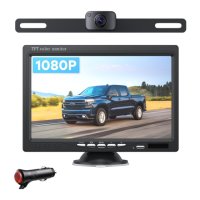
Power the monitor by the car charger or power cable.
Power the camera by a red and black wire(red wire to positive
power of reversing light, black to ground)


 To Next Page