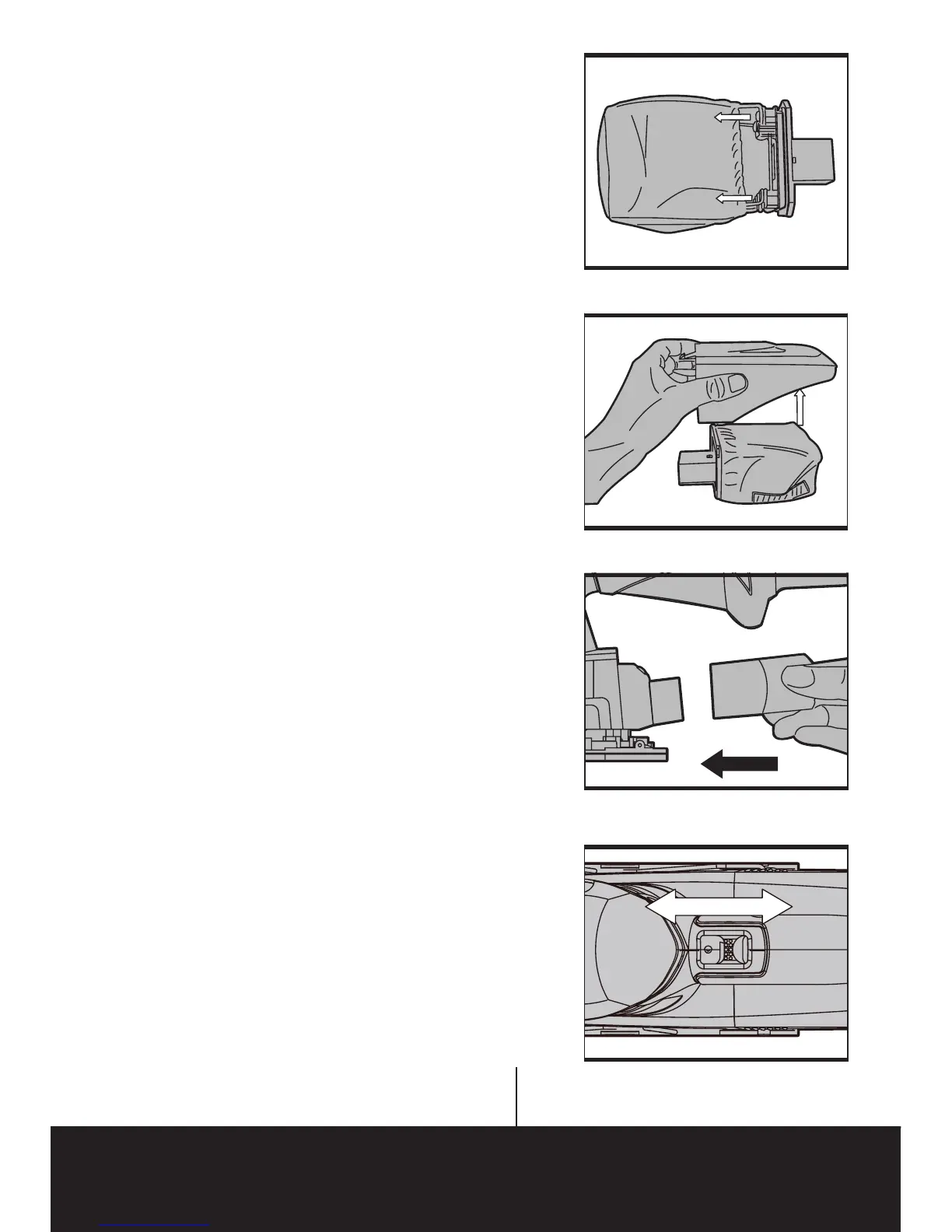
2. DUST BAG (SEE FIG D, E&F)
Your sander is equipped with a dust bag. To
attach, insert the dust bag into the back of the
sander in correct position, and make sure the
bag is tightened securely on the dust extraction
nozzle.
To empty the bag, first separate pull off the box
from the dust bag as shown in Fig E, and then
remove the frame as shown in Fig F.
3. OPERATING THE ON/OFF SWITCH (SEE
FIG G)
Slide the on/off switch to the forward for
operation, and slide it backward to stop.
Switch off Switch on
Fig G
Fig E
Fig F
Fig D


 To Next Page