16
USE
01
INTENDED USE
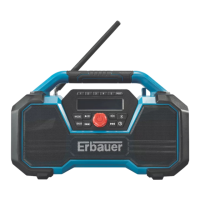
This unit is intended:
- for reception and playback of FM and DAB radio stations
- for import audio sound from other products such as mobile phones, MP3 players, CD
players etc. for playing music through Bluetooth
®
or AUX cable
- for USB charging function with power supply
02
OPERATION
ON / OFF SWITCH (C)
Switching on:
Briey press the On/Off/Volume knob
and the unit switches on. The display will show
“Welcome Erbauer” and after 1 second will shift to DAB operation mode.
Switching off:
Press the On/Off/ Volume knob
and hold for 2 seconds. The display will show
“Power Off” and after 1 second will switch off.
STANDBY MODE (D)
When the unit is switch on, briey press the On/Off/Volume knob , the unit switches to
standby mode.
When the unit is in standby mode, all audio output will stop. Only the display will continue
showing the time and date, but the display brightness will dim after 30 seconds.
Briey press the On/Off/Volume knob
to return to full operating mode.
NOTICE:
When in standby mode, the unit will turn off automatically after
1 hour of inactivity.
When in standby mode, USB charging is available.
SETTING THE TIME
In any mode, press the CLOCK button for 2 seconds to set the time. The numbers
blink in this order: hour> minute> date > month > year.
Press the
or button to change each value.
Press the
button to switch to the next setting.


 To Next Page