Operation Manual
Version: 12/01
13
er900 PC Operation Manual
Art-Nr: 475.156
Ergometer
Type er900 PC
4 Putting into Operation
Check the mains fuse at the respective workstation prior to putting into operation the
device. Minimal fuse value: 16A.
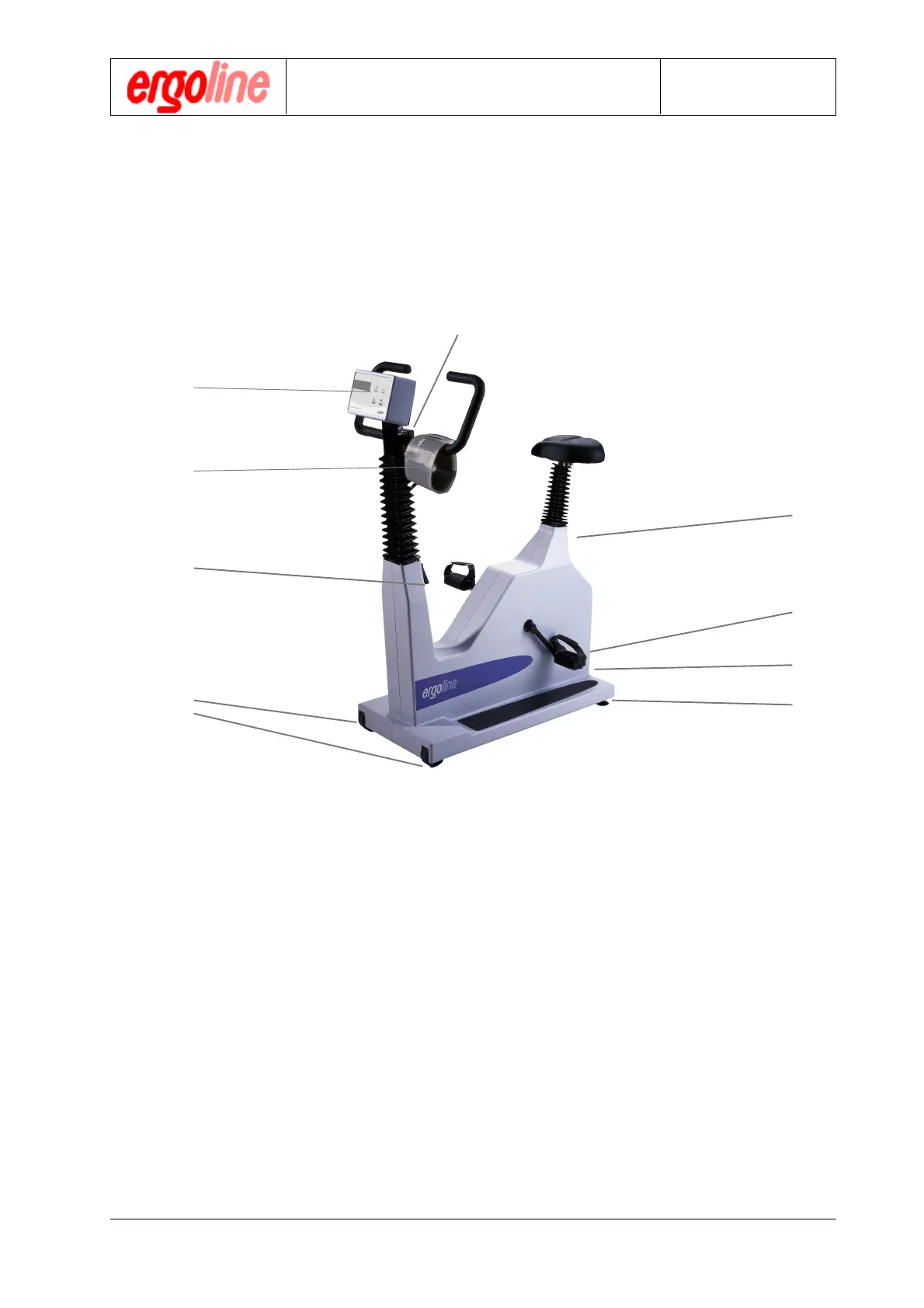
4.1 Operating elements and Connections
Putting into Operation
1 power connector, fuse
2 main power switch
3 clamp handle for seat adjustment
4 clamp handle for handlebar angle adjustment
5 console with keypad, display
6 blood pressure cuff
7 clamp handle for handlebar height adjustment
8 transport casters
9 leveling feet for optimal stability
1
2
3
4
5
6
7
8
9


 To Next Page