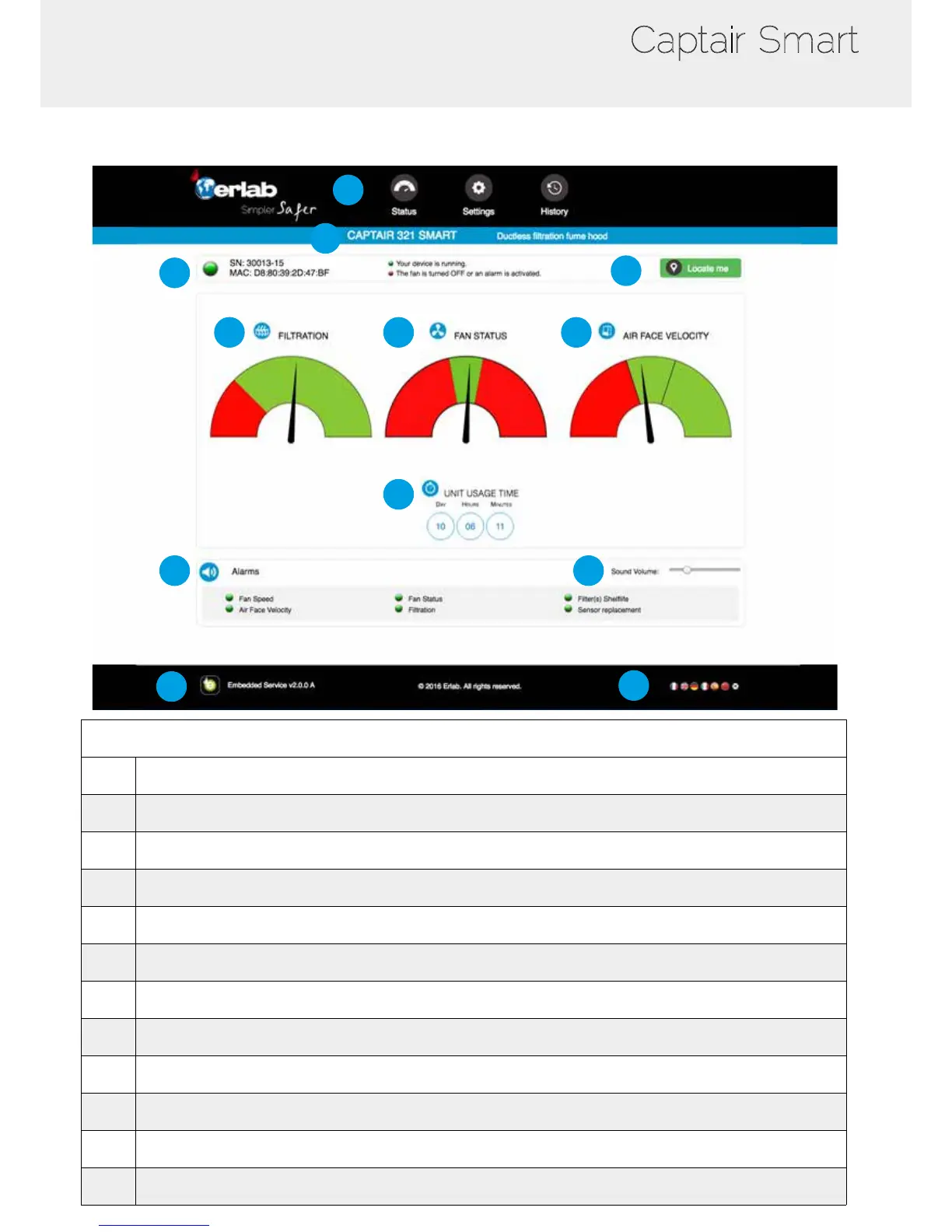
Administrator interface description
1
6
7
2
3
4
5
8
9
10
11
12
Status page details
1 Choose active interface page
2 Device ID: Model
3 Device ID: serial number, MAC address, device status
4 Unit location
5 Molecode Option Gauge: indicates the saturation level of the main carbon lter(s)
6 Fan Gauge: indicates the fan status
7 Air Face Velocity: indicates the air face velocity
8 Device use time since fan was last started
9 Device alarm statuses (see alarm triggering conditions)
10 Volume setting
11 Embedded service version
12 Choose language



 To Next Page