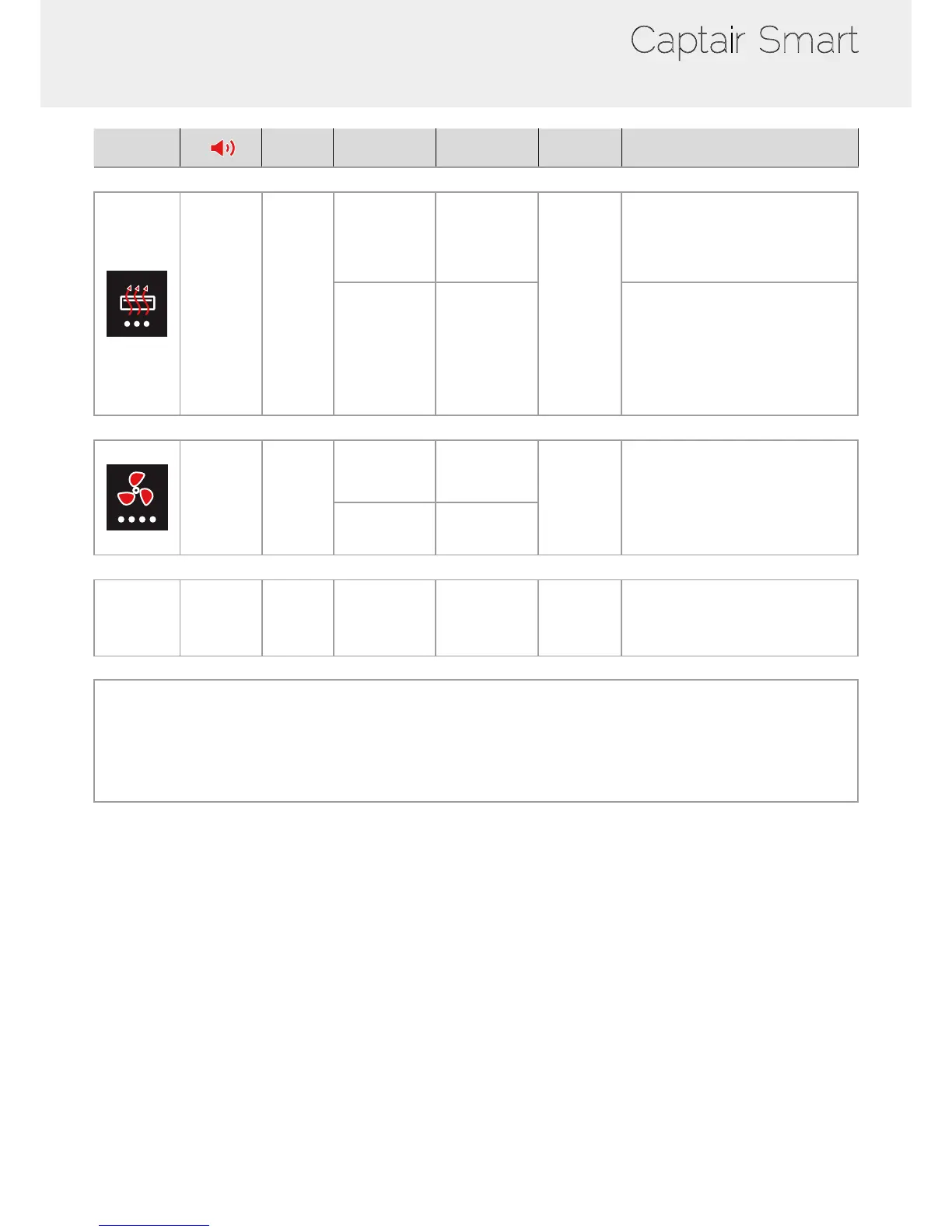
Alarm type
Light
signal
Events Details
Silence
the alarm
Reset the alarm
Filtration
3 beeps
5 seconds
apart
Pulses
Filter
breakthrough
(Molecode S/A/F
option)
The Molecode
detection value
is > the sensi-
tivity
setting for a
period of 40s.
Press Mute
key
Note: lter has to be replaced.
Replace lter
The lter(s) has/
have reached
the end of their
service life/lives.
Please get in touch with Erlab or your
usual maintenance contact.
Fan
4 beeps
5 seconds
apart
Pulses
Fan fault
The rotation speed
(RPM) is +/- 10% of
the fan setpoint.
Press Mute
key
Fan Unservi-
ceable
The rotation
speed (RPM) is
< 700 RPM
Filter breakthrough sensor replacement (Molecode)
5 beeps
5 seconds
apart
Pulses
Filter
breakthrough
sensor replace-
ment (Molecode
S/A/F option)
The sensor has
reached the end
of its service life.
Please get in touch with Erlab or your
usual maintenance contact.
Reset network settings
Forgot network settings?
- Please check the general switch of the unit is turned ON,
- Switch OFF the key 1,
- Press the Mute key for 10 seconds,
- After 3 beeps, network settings are reset,
- Reboot the unit: turn OFF/ON the general switch of the unit on the back of the control panel,
- The network default IP adress is : 192.168.0.200



 To Next Page