2
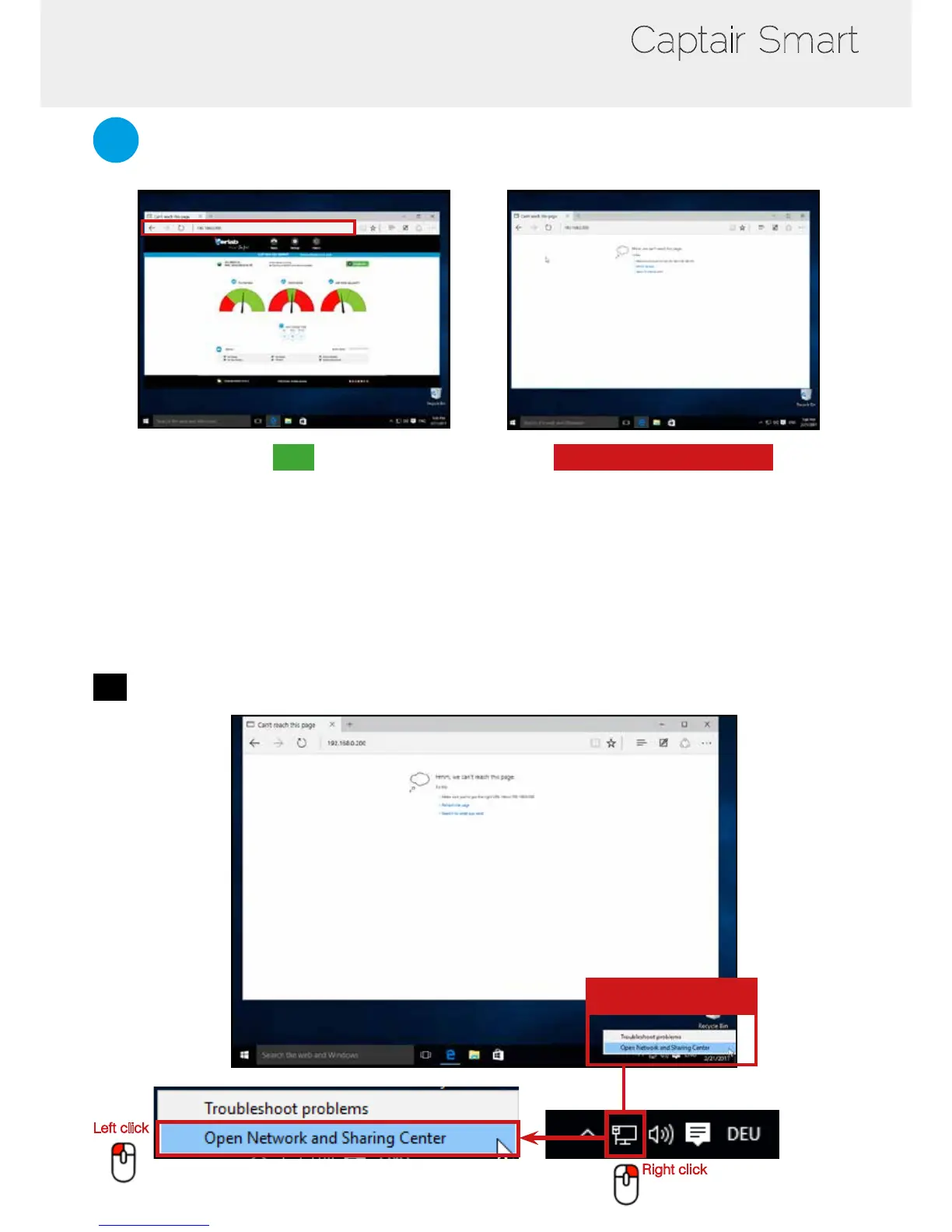
Open your web browser, type the following IP address 192.168.0.200 into the address bar and validate
OK
You are connected to the embedded software
You enter the « Status » page and you can have
access to the « Settings » using the following
credentials:
Login : erlab / Password : smart
Please go to page 16
Page is not accessible
Computer network parameters are not allowing
the access to the embedded software.
Apply the following procedure
Page is not accessible
1
Modify computer network parameters
Right click
Left click
Network
parameters



 To Next Page