EasyManua.ls Logo

erlab Captair Smart 481 - Page 31

Default Icon
39 pages
Print Icon
To Next Page IconTo Next Page
To Previous Page IconTo Previous Page
Loading...
31
User Manual
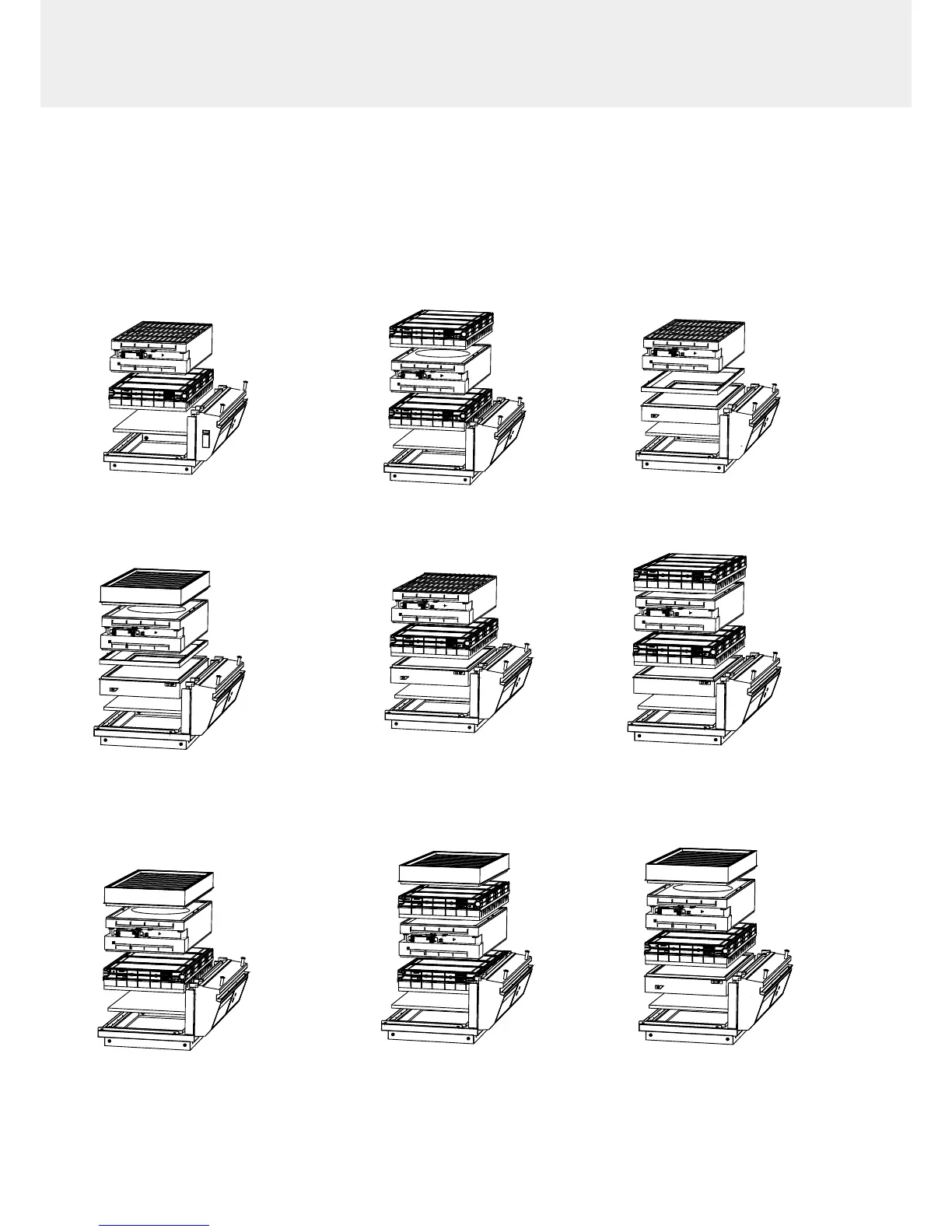
1C 2C
1P 2P
1P1C
1P2C
1C1P
2C1P
1P1C1P
1C 2C
1P 2P
1P1C
1P2C
1C1P
2C1P
1P1C1P
1C
2C
1P 2P
1P1C 1P2C
1C1P
2C1P
1P1C1P
1C 2C
1P
2P
1P1C 1P2C
1C1P
2C1P
1P1C1P
1C
2C
1P 2P
1P1C 1P2C
1C1P
2C1P
1P1C1P
1C 2C
1P
2P
1P1C 1P2C
1C1P
2C1P
1P1C1P
Models Captair 321 - 391 - 481 Smart
1. Identify wich column conguration below applies to your hood. (See your Valipass label)
2. Unstack the ltration column(s) above the fume hood.
3. After carrefuly removing the lters from their packaging, assemble the column per the conguration below.
4. If your column conguration changed, Apply the correct fan setpoint for the ltration column conguration
(see fan setpoints)
1C 2C
1P 2P
1P1C 1P2C
1C1P
2C1P
1P1C1P
1C 2C
1P 2P
1P1C 1P2C
1C1P
2C1P
1P1C1P

Related product manuals