20
GB
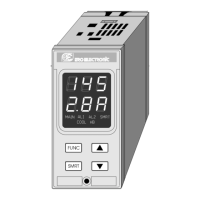
Pushbutton functionality during operating mode.
FUNC = o when the instrument is in "normal
display mode"
1)with a brief pressure (<3s) it starts
the parameter modification
procedure.
2)with a pressure longer than 3s but
briefer than 10 s it changes the
indication on the lower display (see
"display function").
3)with a long pressure (>10 s) it starts
the lamp test.
o During parameter modification, it
allows to memorize the new value of
the selected parameter and go to the
next parameter (increasing order).
MAN = pressed for more than 1 s, it allows to
enable or disable the manual function
and, during parameter modification, to
scroll back the parameters without
memorizing the new setting.
s = o when the instrument is in AUTO mode,
it allows to increase the value of the
selected parameter.
o when the instrument is in MANUAL
mode, it allows to close OUT 1 (s)
relay contact.
t = o when the instrument is in AUTO mode,
it allows to decrease the value of the
selected parameter.
o when the instrument is in MANUAL
mode, it allows to close OUT 2 (t)
relay contact.
s+MAN = During parameter modification they
allow to jump to the maximum
programmable value.
t+MAN = During parameter modification they
allow to jump to the minimum
programmable value.
"FUNC"+"MAN" = during operative mode they
allows to start the configuration mode.
NOTE: during run time mode a 10 or 30 seconds
time out (see P46) is applied to parameter modifica-
tion procedure.
If, during operative parameter modification, no
pushbutton is pressed for more than 10 (30)
seconds, the instrument goes automatically to the
“normal display mode” and the eventual
modification of the last parameter will be lost.
FEEDBACK POTENTIOMETER CALIBRATION
NOTE: this function is available only if a closed
loop servomotor control (P5 = "sm.Cl") or a
servomotor control open loop with feedback
indication (P5="sm.CL" and P6 = "Fb.") has been
selected during configuration procedure.
When it is desired to calibrate the feedback
potentiometer, proceed as follow:
1) Switch On the instrument.
2) Push the MAN pushbutton for more than 1 s.
The instrument will go in MANUAL mode and
the MAN indicator will lit.
3) Keep pushing the FUNC pushbutton until the
"F.Cal" parameter is shown on the lower
display.
4) Pushing s or t select the "On" indication
and then push the FUNC pushbutton.
The instrument will show on the upper display
the actual valve position in percent and, on
the lower display the "POS.L" message.
5) Pushing continuously s or t pushbutton,
drive the servomotor to the beginning of its
stroke.
6) Push the FUNC pushbutton.
The display will show "Fd..LC" (feedback low
limit calibration).
LFS-servo-1-02.p65 1/14/02, 3:44 PM20


 To Next Page