22
GB
start with a power output equal to zero.
DIRECT ACCESS TO SETPOINT
When the device is in AUTO mode and in “Normal
Display Mode”, it is possible to modify directly the
selected set point (SP or SP2).
Pushing s or t for more than 2 s, the setpoint
will begin changing.
The new setpoint value becomes operative since
no pushbutton has been depressed at the end of
2 s timeout.
OPERATIVE SET POINT SELECTION
It is possible to select the operating set point (SP
or SP2) only by logic inputs 1.
logic input 1 op. set point
open SP
close SP2
By setting the P50 parameter it is possible to limit
the number of the available set points.
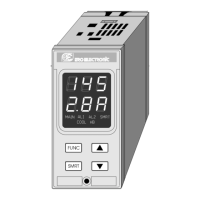
LAMP TEST
When it is desired to verify the display efficiency,
push FUNC pushbutton for more than 10 s. The
instrument will turn ON, with a 50 % duty cycle, all
the LEDs of the display (we define this function
"LAMP TEST").
No time out is applied to the LAMP TEST.
When it is desired to come back to the normal
display mode, push FUNC pushbutton again.
During the LAMP TEST the instrument continues
to control the process but no keyboard functions
are available (exception made for the FUNC
pushbutton).
is configured.
When time proportioning control output is
configured, the power of the "rEU" output is
shown in the two most significant digit field while
the power of the "dir" output (if present) is shown
in the two less significant digit field.
The decimal point between the two values will be
flashing to indicate instrument in MANUAL mode.
Note: The instrument shows the "rEU" output = 100
with the graphic simbol "
".
The instrument shows the "dir" output = 100
with the graphic simbol " ".
The power output can be modified by using s and
t pushbuttons.
By depressing, for more than 1 second, MAN
again, or by opening the contact 2, the device
returns in AUTO mode.
The transfer from AUTO to MANUAL will be in
accordance with P40 parameter set.
The transfer from MANUAL to AUTO will be
bumpless (this function is not provided if integral
action is excluded).
If transfer from AUTO to MANUAL is performed
during the first part of SMART algorithm (TUNE)
when returning in AUTO the device will be forced
automatically to the second part of the SMART
algorithm (ADAPTIVE).
At power up the device will start as selected with P39.
Notes:
1) When device is configured for two control
outputs and start up occurs in Manual mode
with power output set to 0, the signal output
will be in accordance with the following
formula: "rEU" output - "dir" output = 0.
2) When the AUTO/MANUAL control is
selectable by logic input and P39 = 0 or 1, the
instrument starts in accordance to the logic
input status and ,for MANUAL mode, it will
LFS-servo-1-02.p65 1/14/02, 3:44 PM22


 To Next Page