Page 9/40Version 02.01 • Date 19JAN2017
1.1 Display symbols
Symbol Explanation
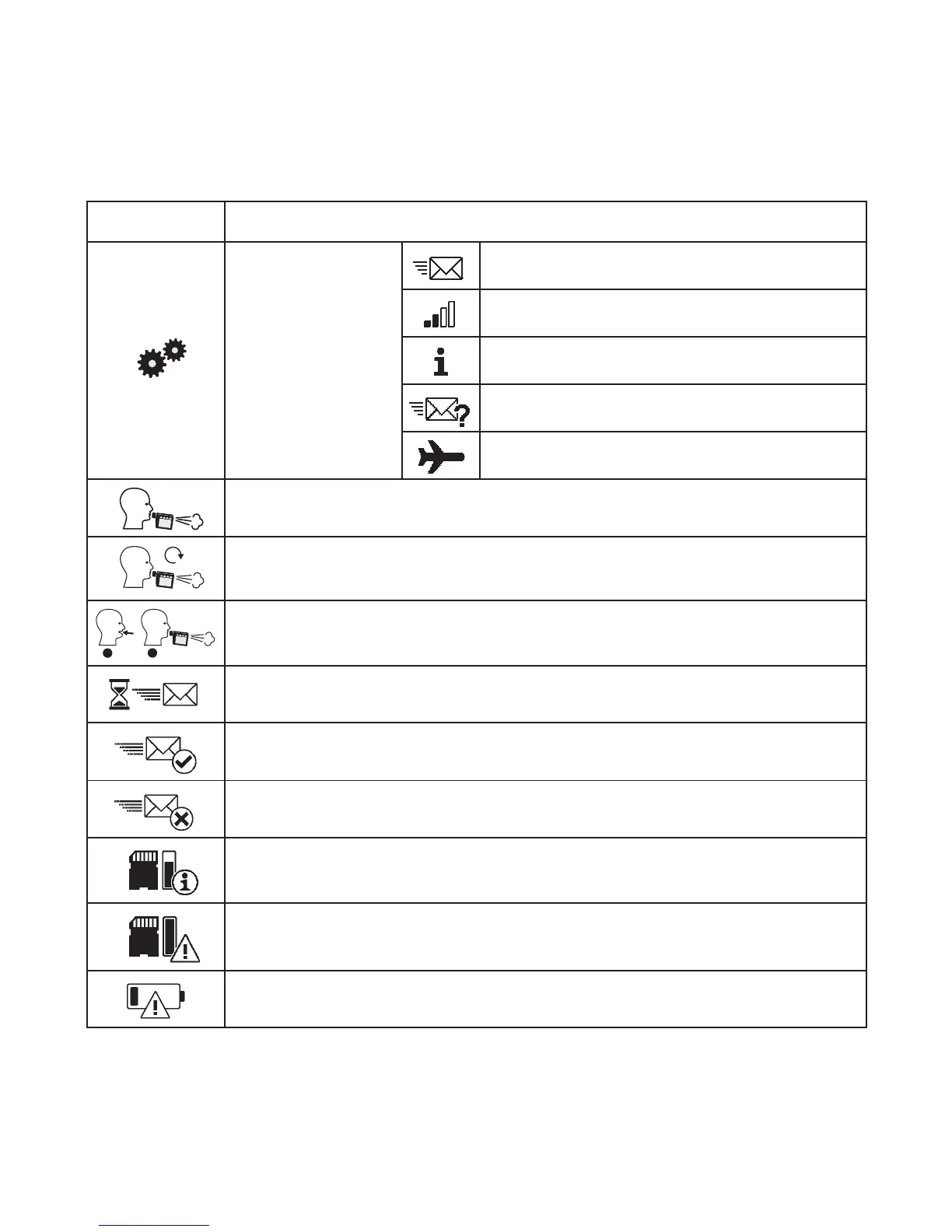
Settings menu
Transfer stored data manually
Display signal strength and provider
Information
Perform test transfer
Activate/Deactivate Airplane mode
Assessment
XX
Repeat measurement
1
2
Optional measurement
Data transfer in progress
Data transfer successful
Data transfer failed
Memory capacity almost full (80%)
Memory capacity full
Battery low



 To Next Page