21
Installing the Motherboard
Connecting I/O Devices
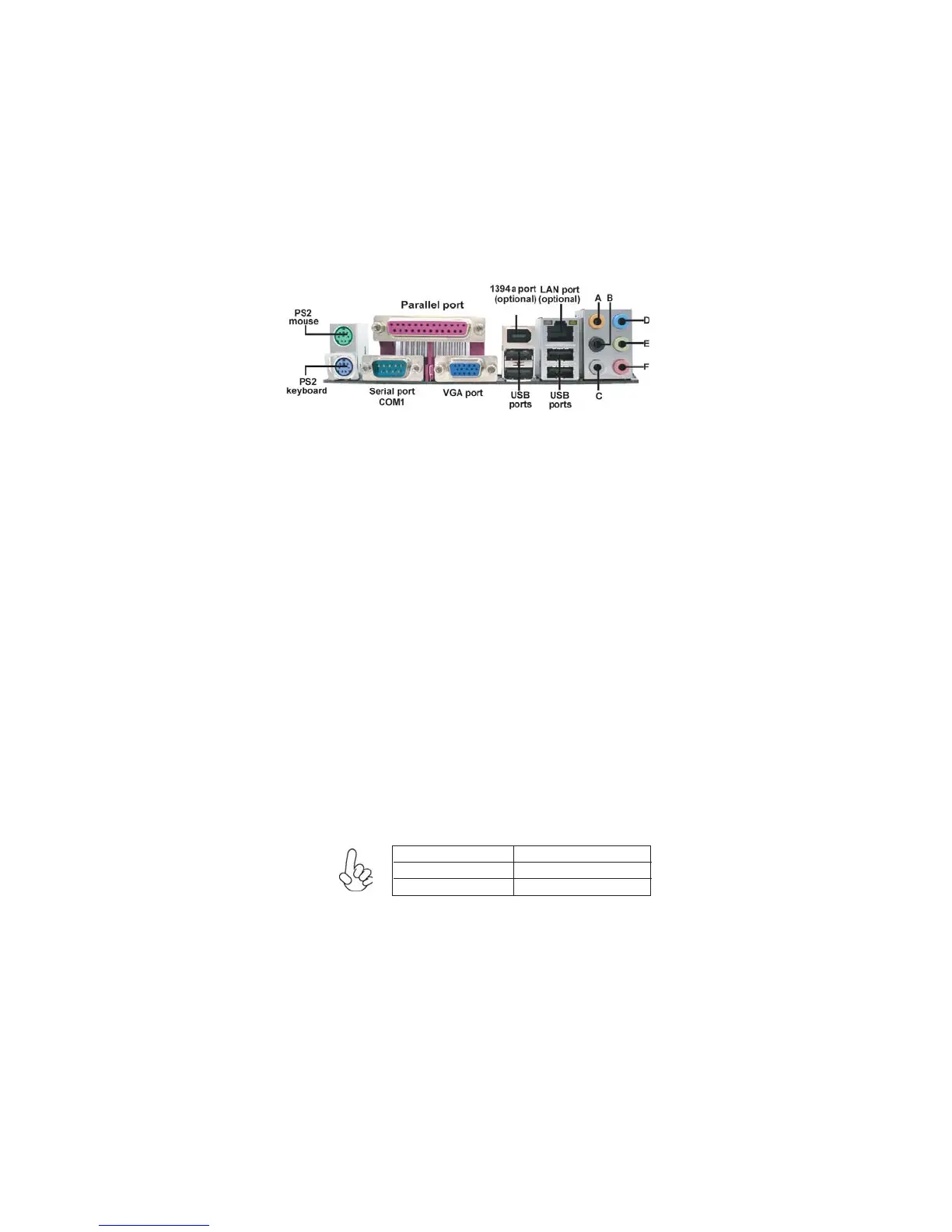
The backplane of the motherboard has the following I/O ports:
(optional)
(optional)
The above port definition can be changed to audio input
or audio output by changing the driver utility setting.
Use the audio jacks to connect audio devices. The D port is
for stereo line-in signal, while the F port is for microphone
in signal. This motherboard supports 8-channel audio de-
vices that correspond to the A, B, C, and E port respectively.
In addition, all of the 3 ports, B, C, and E provide users with
both right & left channels individually. Users please refer to
the following note for specific port function definition.
PS2 Mouse
Use the upper PS/2 port to connect a PS/2 pointing device.
PS2 Keyboard
Use the lower PS/2 port to connect a PS/2 keyboard.
(optional)
Parallel Port (LPT1)
Use LPT1 to connect printers or other parallel communi-
cations devices.
(optional)
(COM1)
Serial Port
Use the COM port to connect serial devices such as mice or
fax/modems.
VGA Port
Connect your monitor to the VGA port.
1394a Port
Use the 1394a port to connect to any firewire device.
LAN Port
Connect an RJ-45 jack to the LAN port to connect your
computer to the Network.
(optional)
USB Ports
Use the USB ports to connect USB devices.
(optional)
Audio Ports
A: Center & Woofer D: Line-in
B: Back Surround E: Front Out
C: Side Surround F: Mic_in Rear


 To Next Page