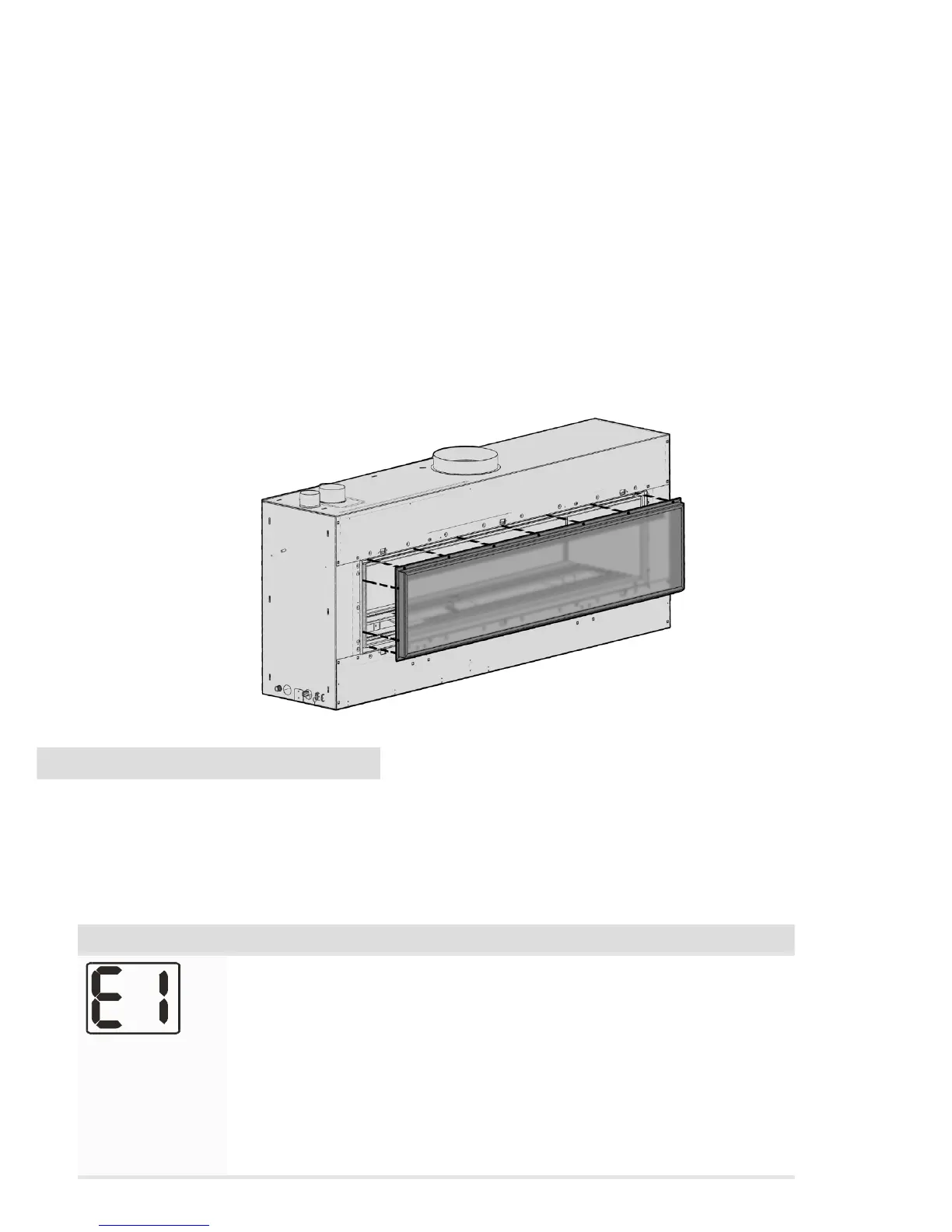
− Cleaning the logs / Glass (DX1500):
Step 1: If the replace has a fascia, it is recommended that you remove it rst by simply pulling it
towards you evenly, using protective gloves to protect the paint nish. The clips holding it in place will
release.
Step 2: Unscrew all of the fasteners holding the glass in place as shown below using a 3mm allen key
and carefully pull the glass and frame towards you, ensuring you hold onto the glass aswell as the metal
surround frame.
Step 3: Take out log set (if there is one) and gently brush any soot from log with a soft hearth brush. The
burner tops can be vacuumed too.
Step 4: Clean the inside and outside of glass with normal glass cleaning products. Use a clean dry cloth
only. Stubborn marks may be cleaned with a ceramic glass cleaner.
Step 5: Replace in opposite order and test run heater.
10. Trouble shooting
Escea gas res communicate both to and from the re and remote. This enables the remote to provide
some basic fault nding information that is useful in diagnosing faults with your gas supply or ue.
NOTE: The remote will take a minute or two to receive and display the error from the re. Pressing the plus or
minus keys will update the remote
Error Code Suggestion action
Electronics Over
Temp
• Excess lint and dust build-up on the front of the controller tray.
• Possibly fascia panels installed incorrectly resulting in restricted air
ow.
• Room air fans may be slowed or stalled. Remove rebox, check that
fans are plugged in, cleaned, and free turning
• (DX only) check that the duct fan is not reversed and blowing “into”
the replace instead of out from the replace
Note: This error has a permanent lock out and will require the unit to be
reset after the initial error (turning the power to the re o “at the wall”
then on again after a few seconds).



 To Next Page