EasyManua.ls Logo

Esco Streamline SCR-2A - User Manual

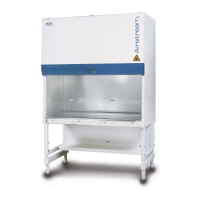
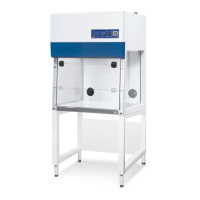
Esco Streamline SCR-2A
63 pages
Print Icon
To Next Page IconTo Next Page
Loading...
Thank you for purchasing this Esco Polymerase Chain Reaction
Cabinet. Please read this manual thoroughly to familiarize yourself
with the many unique features and exciting innovations we have built
into your new equipment. Esco provides many other resources at our
website, www.escoglobal.com, to complement this manual and help
you enjoy many years of productive and safe use of your Esco
products.
Esco Technologies, Inc.
903 Sheehy Drive, Suite F, Horsham, PA 19044, USA
Tel 215-441-9661 • Fax 484-698-7757
escolifesciences.us • eti.admin@escoglobal.com
Rest of World
Esco Micro Pte. Ltd.
21 Changi South Street 1 • Singapore 486 777
Tel +65 6542 0833 • Fax +65 6542 6920
www.escoglobal.com mail@escoglobal.com
Esco Polymerase Chain Reaction Cabinets
(SCR-2A, PCR-3A, PCR-4A)
Service Manual Version E - Released January 2021
North America
Service Manual
Polymerase Chain Reaction
Cabinets
DOMINIQUE DUTSCHER SAS

Questions and Answers

  • J
    Jessica MartinezNov 5, 2025
    What to do if my Esco Streamline SCR-2A Laboratory Equipment cabinet does not start?
    • T
      Thomas WilkinsonNov 5, 2025
      If your Esco Laboratory Equipment cabinet isn't starting (no LCD, button, fan, light, or UV function), first, check if there's power at the wall socket using a voltmeter or test pen. Then, ensure the power cord is properly connected to both the wall and the unit. If there's still no power, and if you have a PCR model, check the circuit breaker located beside the power inlet. If the breaker tripped, do not reset it before inspecting all electrical components and wiring. Also, check the connection to the main power supply inside the electrical panel, ensuring the voltage is within the correct range (230 VAC or 115 VAC ± 10%). For PCR models, a defective power supply or main board could also be the cause. Disconnect the 5-pin connector to check the SMPS output. If the voltage is out of range,...
  • A
    ajohnsonNov 15, 2025
    Why is the airflow not at nominal velocity in my Esco Laboratory Equipment?
    • D
      Daniel AdamsNov 15, 2025
      If the airflow in your Esco Laboratory Equipment is not at the nominal velocity, first check for external air disturbances such as air conditioning vents, open windows, or people walking nearby. Make sure nothing is blocking the pre-filter. If there are no obstructions, switch on the blower fan and measure the AC voltage at the motor voltage sampling port. If the motor voltage is lower than the nominal value from the factory test report, adjust the speed control to get the specified output voltage. Also, check if the building supply voltage is low, especially with new cabinets, and adjust the speed control accordingly. If the cabinet has been used for over a year, refer to the last motor nominal voltage from the certification report. If the voltage is the same, the filter may be loaded, or...
  • K
    Kyle WillisNov 24, 2025
    How to troubleshoot blower not functioning in Esco Laboratory Equipment?
    • A
      Amy OrtizNov 24, 2025
      If the blower in your Esco Laboratory Equipment isn't working, first, ensure the fan is switched on via the control panel (enter the PIN if required for PCR models, default is 0001, or switch the rocker switch for SCR models). If the LED doesn't light up, check the connection from the control panel to the main board or replace the membrane. For SCR models, check for loose wiring at the back of the switch. If the fan still doesn't work on PCR models, check fuse F1 on the relay board and replace it with F5 as a temporary solution if blown. Next, unplug the cabinet, open the electrical panel, and add a jumper wire between the two cables going to the speed control. If the fan now works, replace the speed controller. If not, the capacitor may be faulty; disconnect its cables and measure the cap...

Summary

Copyright Information

Manual Revision History

Warranty Terms and Conditions

Product Appendix, Warranty Listings

Introduction

Products Covered

Details the range of Esco Streamline® and Airstream® PCR Cabinets offered.

Safety Warning

Important safety precautions for operating Esco PCR cabinets.

Limitation of Liability

European Union Directives

Declaration of Conformity

Re-Certification by Service Personnel

1.1 Certification Flowchart

Visual guide for the steps involved in re-certifying Esco PCR cabinets.

1.2 Airflow Adjustment

Procedure for adjusting the airflow settings of the PCR cabinet.

1.3 Unit Re-Certification

Steps and tests for re-certifying the PCR cabinet unit.

1.4 Replacement of Filter

Instructions for replacing the HEPA/ULPA filter in SCR-A and PCR-A models.

1.5 Replacement of Blower

Procedures for replacing the blower unit in SCR-A and PCR-A models.

1.6 Fluorescent Lamp and UV Lamp replacement

Steps for replacing fluorescent and UV lamps in the cabinet.

Troubleshooting

Problem 1 - Cabinet does not start

Addresses issues where the cabinet fails to power on.

Problem 2 - Blower does not function

Troubleshooting steps for a non-functional blower fan.

Problem 3 - Airflow is not at nominal velocity

Solutions for airflow velocity not meeting specified nominal levels.

Problem 4 - Contaminated samples

Diagnosing and resolving issues leading to sample contamination.

Problem 5 - Excessive fan noise

Steps to identify and fix excessive noise from the fan.

Problem 6 - Blank LCD

Troubleshooting a blank or non-responsive LCD screen.

Problem 7 - Inoperative buttons

Solutions for unresponsive control panel buttons.

Problem 8 - Lights always OFF

Diagnosing why cabinet lights are not turning on.

Problem 9 - Cannot turn on UV lamp

Steps to resolve issues with the UV lamp not activating.

Product Specifications

3.1 Technical Specification Summary Table

Summary table of technical specifications for PCR cabinets.

Appendix A: Log Record

Appendix B: Further Information and Reference Materials

Esco Streamline SCR-2A Specifications

General IconGeneral
ModelSCR-2A
UV LightOptional
TypeClass II Biological Safety Cabinet
Supply HEPA FilterEN 1822 H14
Exhaust HEPA FilterEN 1822 H14
MotorEC Motor
FilterDual HEPA filters
Weight130 kg (287 lbs)

Related product manuals