12
Pre-Installaon Unit Set Up
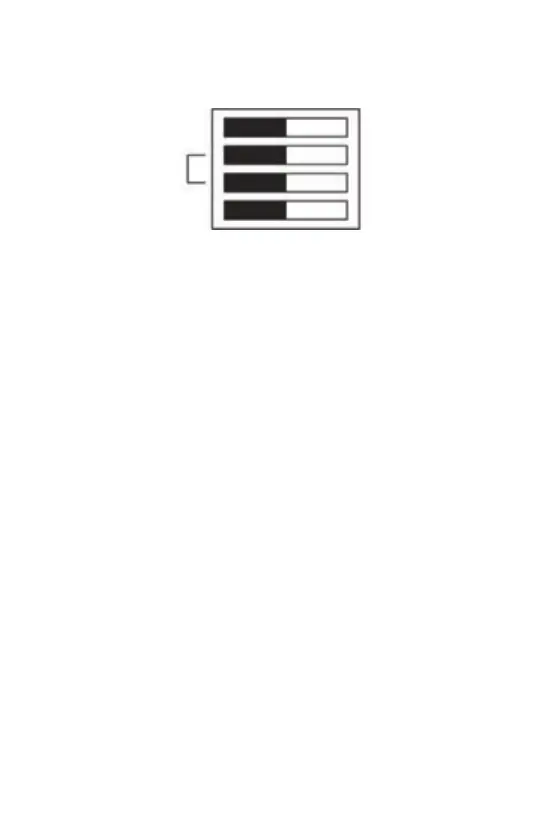
Before installing, set the bank of 4 DIP Switches on the back to
configure the unit according to the chart below:
(DIP Switches shown in Factory Default Posions.
PUMPED: allows independent control of CH and HW.
GRAVITY: does not allow CH1 without HW and CH2 but can provide
HW without CH1 and CH2, and CH2 without CH1 and HW.
24 Hr: runs the same programme every day.
5/2 Day: allows different on/off mes at weekend.
7 Day: allows different on/off mes every day.
Fing the Back Plate
1. Posion the wall-plate (terminals along top edge) with 60mm
(min) clearance to its right, 25mm (min) above, 90mm (min) below.
Ensure that the supporng surface will fully cover the back of the
programmer.
2. Offer the back plate to the wall in the posion where the
programmer is to be mounted, remembering that the back plate
fits to the le side of the programmer. Mark the fixing posions
through the slots in the back plate, drill and plug wall, then secure
back plate in posion.
3. All necessary electrical connecons should now be made. Ensure
that the wiring to the wall-plate terminals leads directly away from
the terminals and is completely enclosed within the wall-plate
aperture. Wire ends must be stripped and screwed to the terminals
so that minimal bare wire is showing.
Pumped
24 Hr
2 On/Off
Gravity
7 Day
5/2 Day
3 On/Off


 To Next Page