EasyManua.ls Logo

ESP Aperta - How to Set Up Access PIN Number; How to Set Up Access Tags

ESP Aperta
16 pages
Print Icon
To Next Page IconTo Next Page
To Previous Page IconTo Previous Page
Loading...
6
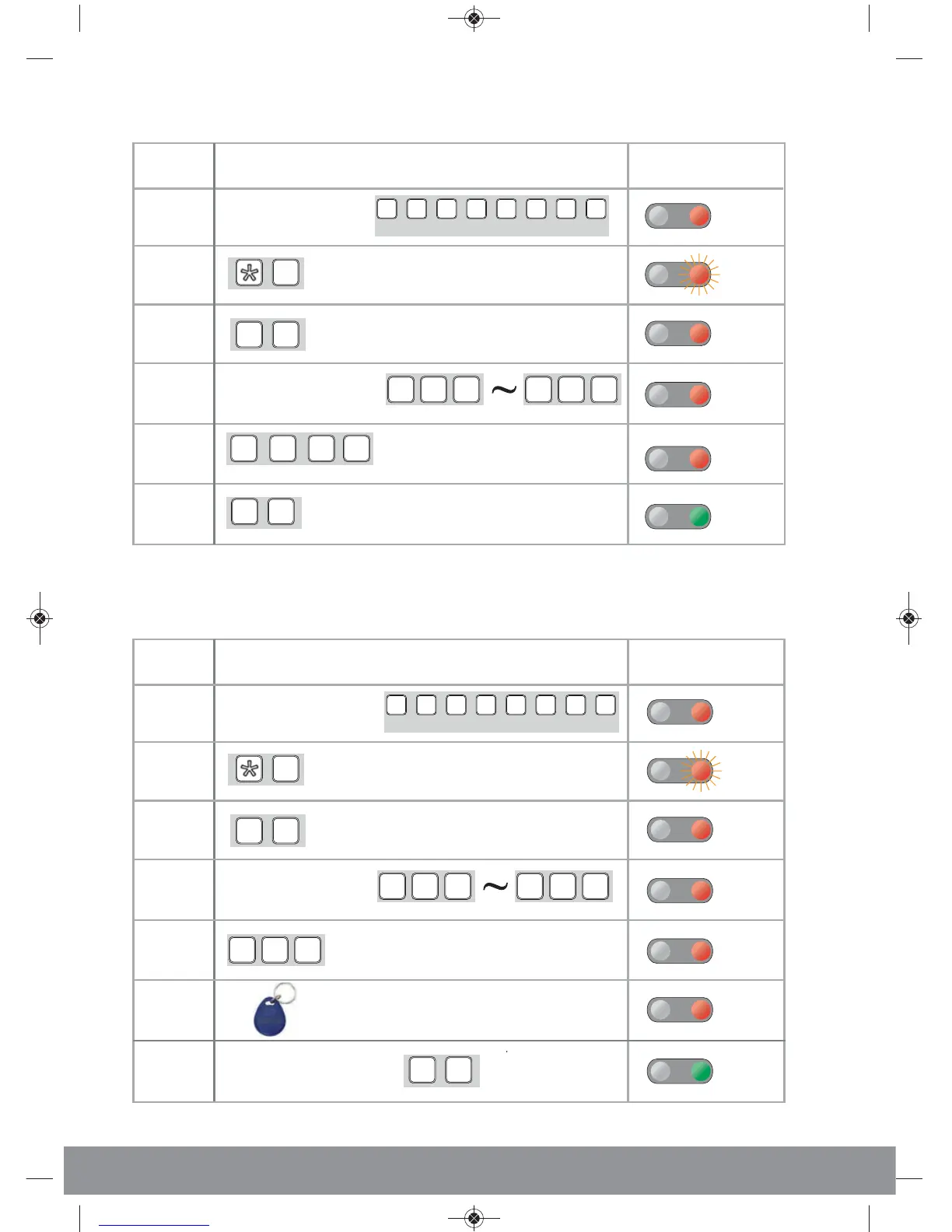
ess Pin Number cc-up Aow to setH
ctionA
Number
tepS
9
02
????
##
6
5
4
3
2
1
ogrammingo end prT
t be used)(1234 no
ter a 4 digit pinEn
00
0
9
location number
ter a startingEn
ogrammingPr
ter En
(Default)
123412
Indication
ypad eK
one
T
To
ong L
34
e
one
T
To
ong L
one
T
To
ong L
one
T
To
Doubl
e
9
9
9
ess T
Ta
ccA-up ow to setH
ctionA
Number
tepS
9
05
1
5
4
3
2
???
00
0
9
location number*
ter a unusedEn
ed egistertags to be r
ter number ofEn
ogrammingPr
ter En
(Default)
12341
Indication
ypad eK
one T
ong L
234
one T
ong L
one
T
To
one T
ong L
9
9
##
6
7
ogrammingpr
o end
T
To
one
T
To
*Each tag will use up a location number
egister will auto r
ther batch tagsAll o
est serial number wlo
t the tag with theesenPr
EZTAG3 Manual.qxp_Layout 1 04/01/2016 11:47 Page 6

Related product manuals