6
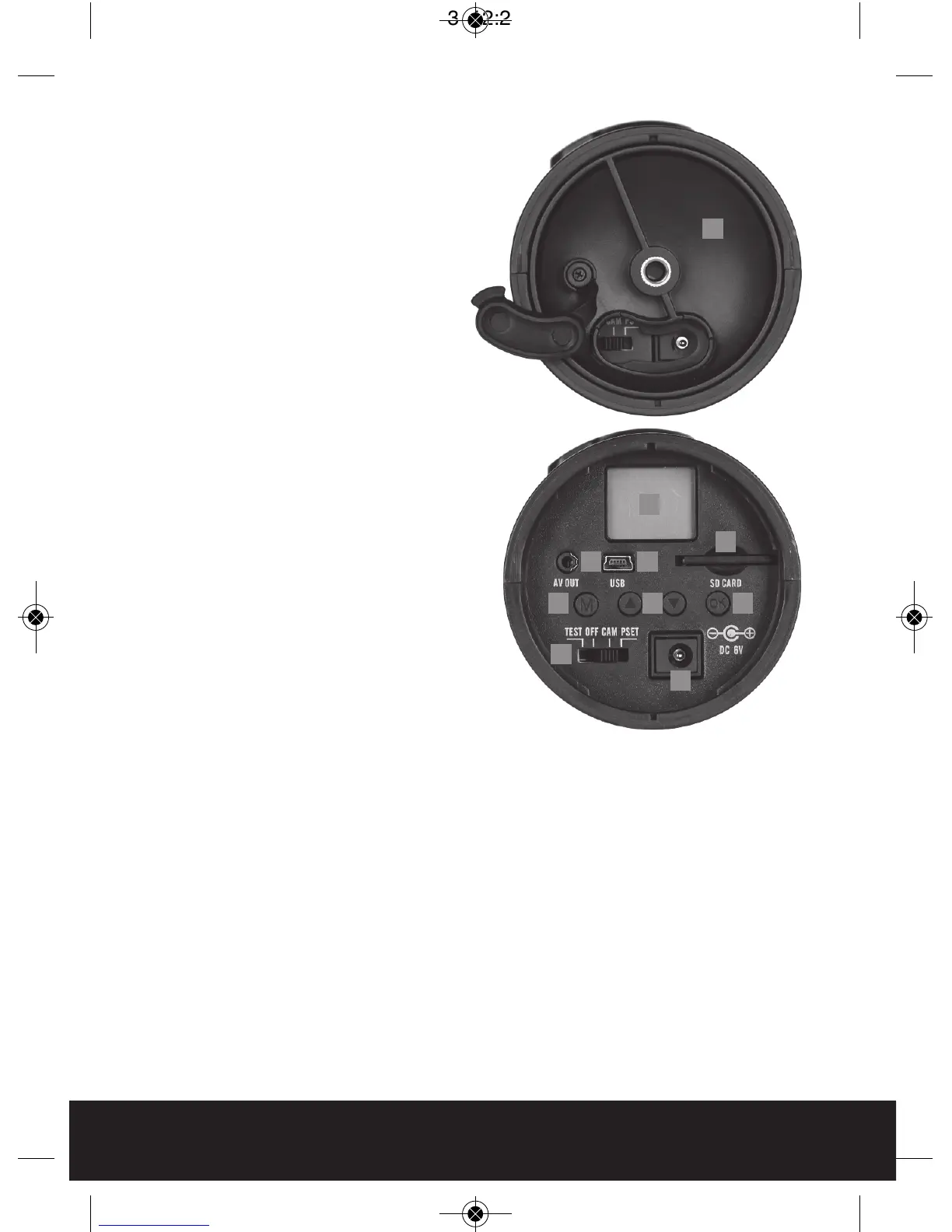
Bottom view
Open the Bottom Cover to show1
camera’s interface.
LCD display : displays the menu’s2
option and modes.
USB port : Connects the camera to3
a PC via USB cable to view stills or
video clips.
AV out : Connects camera to4
monitor on TV to view stills or
video clips.
Menu Button : Changes mode or5
setting in the menu.
Up and Down Button : Enables6
mode selection and adjustments to
the settings.
Switch : Select camera mode: 7
Turn on/Turn off /Test mode/Preset
Mode.
SD Card Slot : Compartment for SD8
card.
Confirm Button : Confirms the9
selection made.
DC 6V port : Connection for DC 6V10
external power adaptor.
NB Only use supplied power adaptor
to avoid damage to CanCam.
1
2
34
5 6 9
7
10
8



 To Next Page