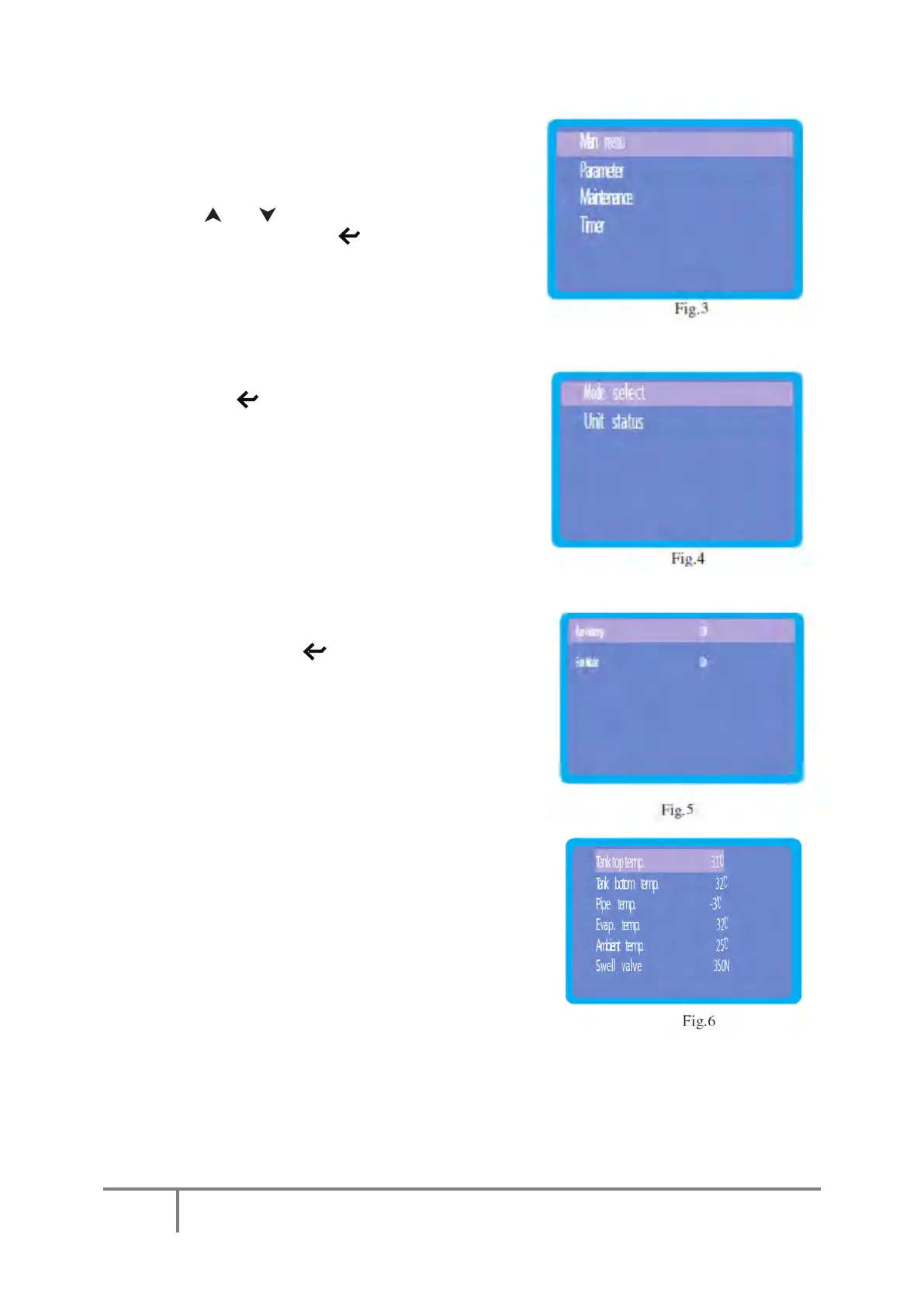
Top-level Menu
Press "
Prg
" button from the default
Screen to access the top level menu,
see
Fig.3
.
Press" " or " "
to choose one of the
4 functions, then press " " to begin setting that
function.
Main
Menu
Press the " " button to access the Main Menu – See
Figure 4.
Mode
Selection
Press the enter key " " to enter the Mode
Selection interface where you can change the settings
of the “Auxiliary Heating” (Immersion heater) and “Fan
Mode” functions. To change the status, simply use the
up or down buttons to select the required function then
press the enter key to toggle between on and off.
Pressing the “Esc” saves the changes and returns to the
main screen
Unit
Status
Press up or down keys to move the cursor to “Unit
Status”, then press the enter key to select the status
display screen. In this screen, the parameters
cannot be changed; it is a display screen only.



 To Next Page