8
Setting the Unlock Time for Zone 1
1. Enter programming mode
A Long bleep will be heard and the green power LED will turn orange.
2. Press the
*
key then the 1 key the orange LED will start to flash
3. Enter the time in seconds for the unlock time from 00 to 99
seconds.
Zone 2 programming
Programming A User Pin number to Zone 2
Note:- Zone 2 has 10 locations available 00-09.
1. Enter programming mode
A Long bleep will be heard and the green power LED will turn orange.
2. Press the
*
key followed by the 4 key
The orange LED will start to flash
3. Enter the vacant location number you want to programme the pin
number in to (xx).
The green programming LED (top left of keypad) will illuminate.
Note :- if this location already has a pin number or Tag programmed the
LED will turn red.
To delete this location press the star
*
key twice. The LED will now turn
green.
4. Enter the new pin number required, a conformation bleep will be
heard.
If further pin numbers are to be programmed select the next available
location number (xx).
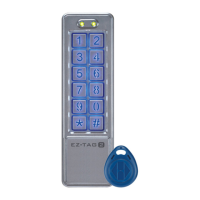
Programming one Tag to Zone 2
Note:- Do not have Tags in your hand or close by when
pressing keys.
Zone 2 has 10 locations available 00-09.
1. Enter programming mode
A Long bleep will be heard and the green power LED will turn orange.
2. Press
*
key then 4 the orange LED will start to flash.
3. Enter the location you want to programme the first Tag in to (xx).
EZ-TAG2 Manual.qxp_Layout 5 29/01/2015 08:16 Page 8


 To Next Page