Installation guide Bench-top type temperature(humidity) chamber
ESPEC CORP.
21
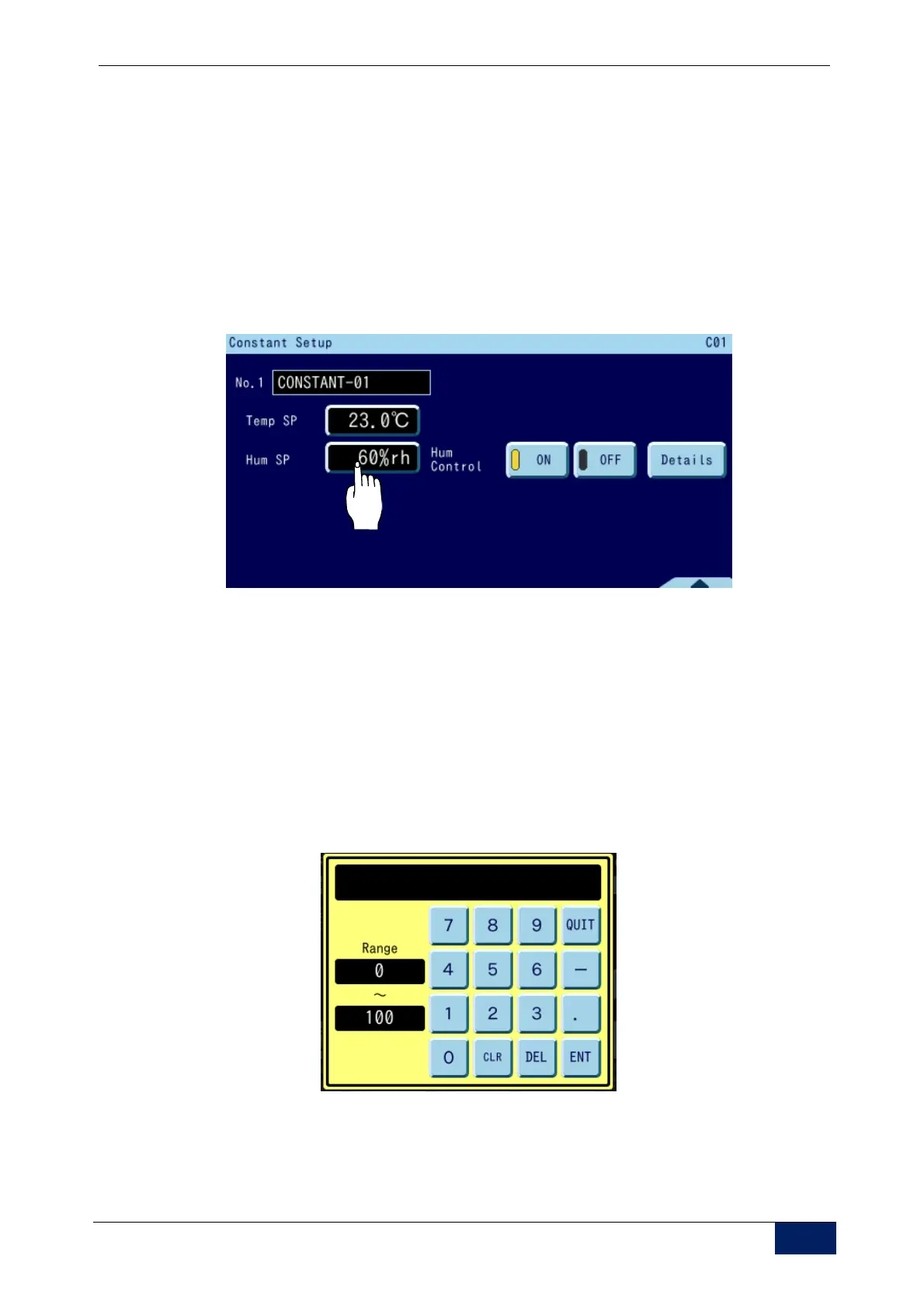
4) Press the [Constant Setup] tab to call up the Constant Setup screen.
Input the temperature and humidity target settings for the constant mode
No. to run.
To set the temperature, press the target setting box for [Set Temp].
Press the [ON] key for [Hum. Control]. (The dot on the key lights up
yellow.)
To set the humidity, press the target setting box for [Set Hum].
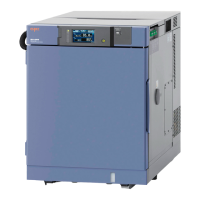
The temperature input range appears in the pop-up window.
Input 23
C for the temperature setting and 60% for the humidity setting,
then press [ENT].
Ten-key pop-up window
CLR: Clears all numeric characters in the character string window.
DEL: Deletes the last character entered.
ENT: Confirms the input value and closes
the ten-key window.
QUIT: Discards the input value and closes
the ten-key window.



 To Next Page