Page 22 PROGRAMMING
ADVANCED PROGRAMMING
EXAMPLE OF
INPUT
CONFIGURATION
(INST)
Configuration:
AL2= technician on site input
IN1= out of service input
Codes to enter to:
- configure AL2 input as bistable input: 390207
- configure IN1 input as bistable input: 390307
- set the telephone number for technician on site notification:
201 13 15 X <telephone number> #
- set the telephone number for the technician's departure notification:
201 14 16 X <telephone number> #
- set the telephone number for out of service notification
:
201 15 17 X <telephone number> #
- set the telephone number for lift in service notification:
201 16 18 X <telephone number> #
where X= receiver (notification mode):
2= user
3= Esse-ti
4= CLI
6= P100
- if receiver 3, set the Esse-ti protocol ID:
222 YYYYYYYYYY
- if receiver 6, set the P100 protocol ID:
223 ZZZZZZZZ#
- if receiver 6, customize the P100 protocol codes using the e-stant
software (programming code 203)
Note: AL2 and IN1 are automatically configured as normally closed;
if the connected contacts are normally open:
- configure AL2 input as normally open: 4121#
- configure IN1 input as normally open: 4131#
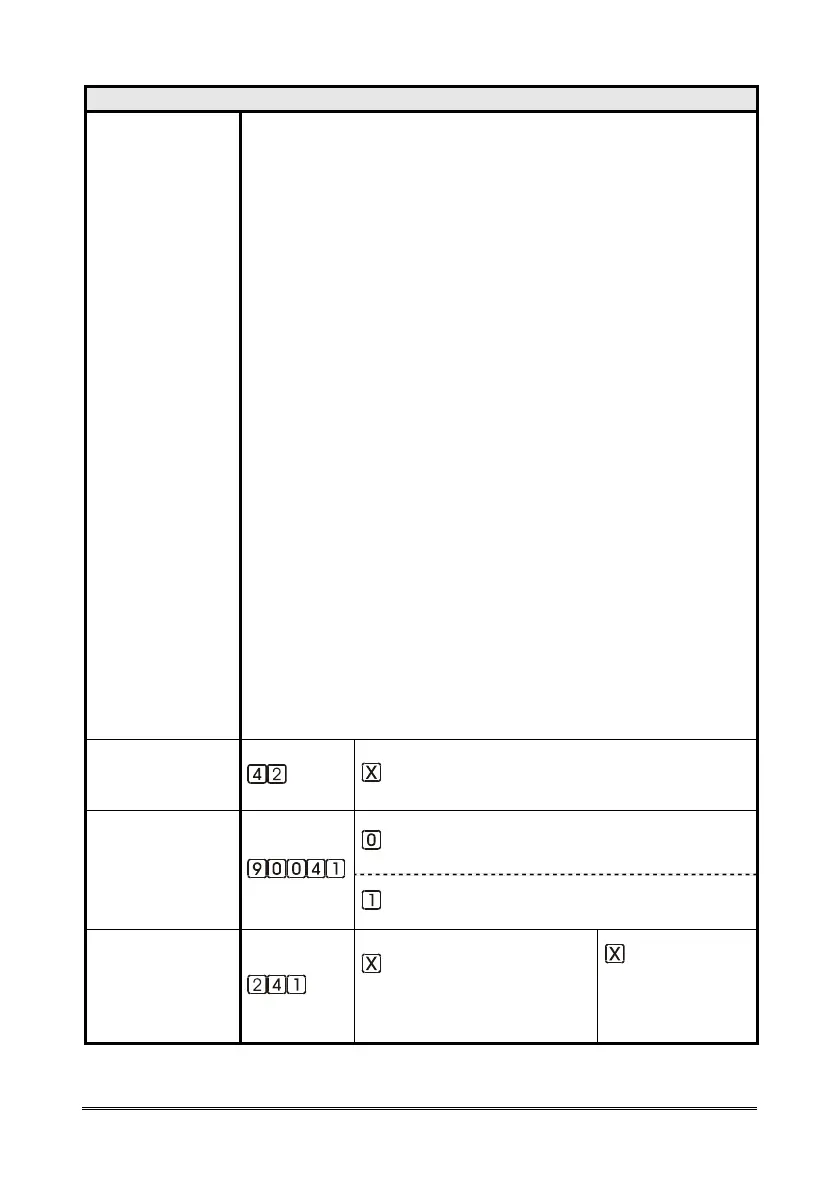
EMERGENCY CALL
BUTTONS DELAY
(INST)
(seconds, from 2 to 9; factory default 3)
INSUFFICIENT
BUTTON
PRESSURE
MESSAGE
SETTING
(INST)
disabled message
enabled message
PUSHBUTTON
CONNECTION
FAILURE
NOTIFICATION
(INST)
type
(0=notification
1=emergency-call)
frequency
(1=10 minutes
2=1 hour
3=1 day)



 To Next Page