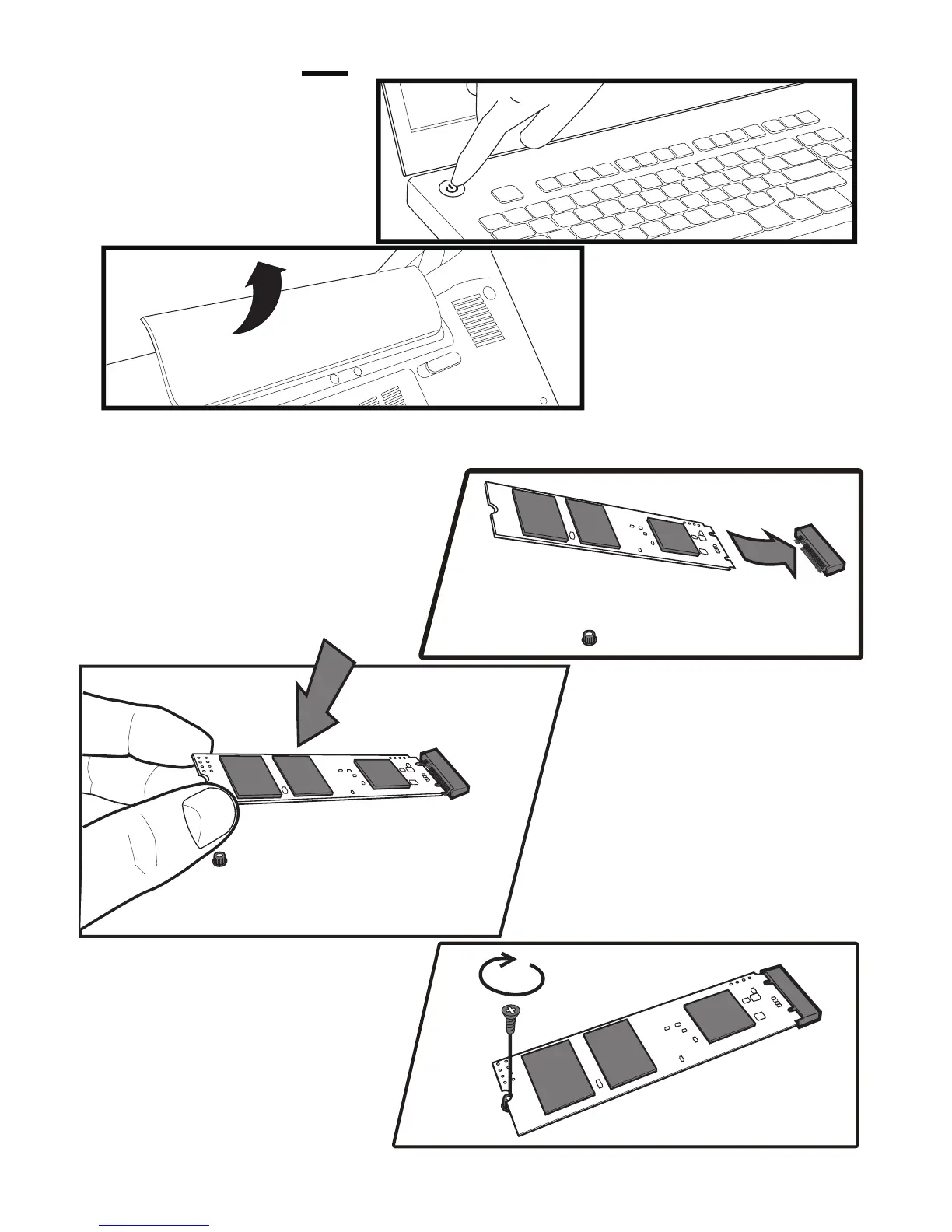
Power off your laptop.
Disconnect power cord
and remove the battery.
Remove the existing M.2 SSD from the M.2 socket (if applicable).
Refer to your owner’s manual for how to safely remove the existing
M.2 drive.
Align the notches on the KLEVV
M.2 SSD with the ridges in the
M.2 socket, then insert
as shown.
Hold KLEVV M.2 SSD
along the side edges
and lower it until it sits
on top of the support
assembly.
Insert screw into the support
assembly and securely
fasten the KLEVV M.2
SSD in.
Replace the cover and power on the computer
1.
2.
3.
4.
5.
6.
Swap Your Drives


 To Next Page