6
/ 7
Temperature Setting Mode
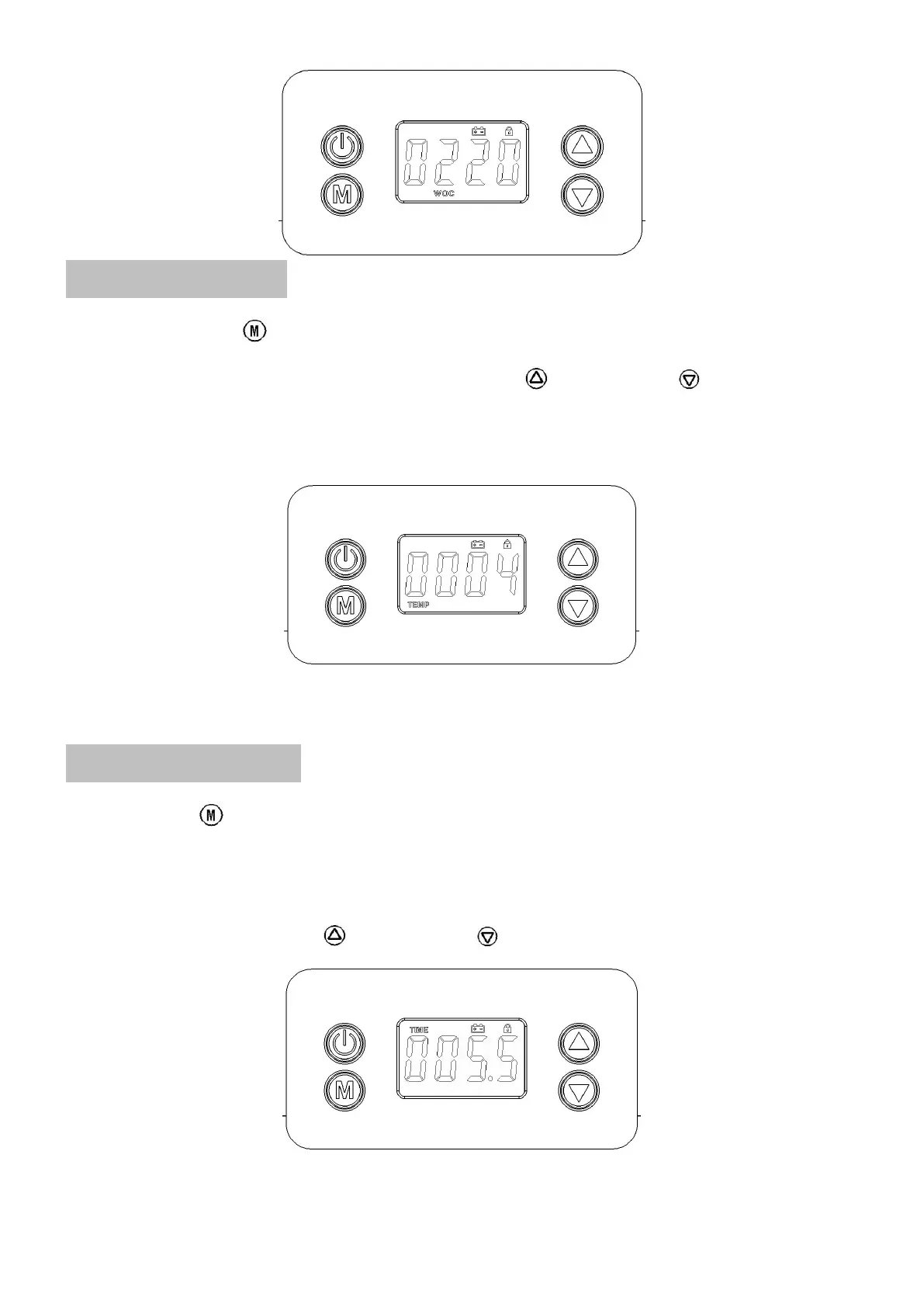
■ Press the mode button three times and switch to the Temperature Setting Mode. The screen will display TEMP,
there are 4 levels in total, which can be adjusted by the up button or the down button . The bigger the number
is, the higher the temperature will be. "0" means no heating. For more details of level setting, please refer to the table
on page 7. As shown in the screen below, the heating temperature is set to the 4th level, which is the highest
temperature.
■ The higher the level, the higher the temperature inside the box, the lower the humidity inside the box.
Heating Time Setting Mode
■ Press the button four times and switching to the Heating Time Setting Mode. The screen will display TIME, and
the displayed number is the rest heating time. The unit is Hour. As shown below, the rest heating time is 5 hours and 30
minutes.
■ The displayed value in TIME mode decreases as time moves forward, which is similar to the countdown.
■ In TIME mode, press the up button or the down button to increase or decrease time by half an hour.


 To Next Page