EN - 50
EN
VII. MENU
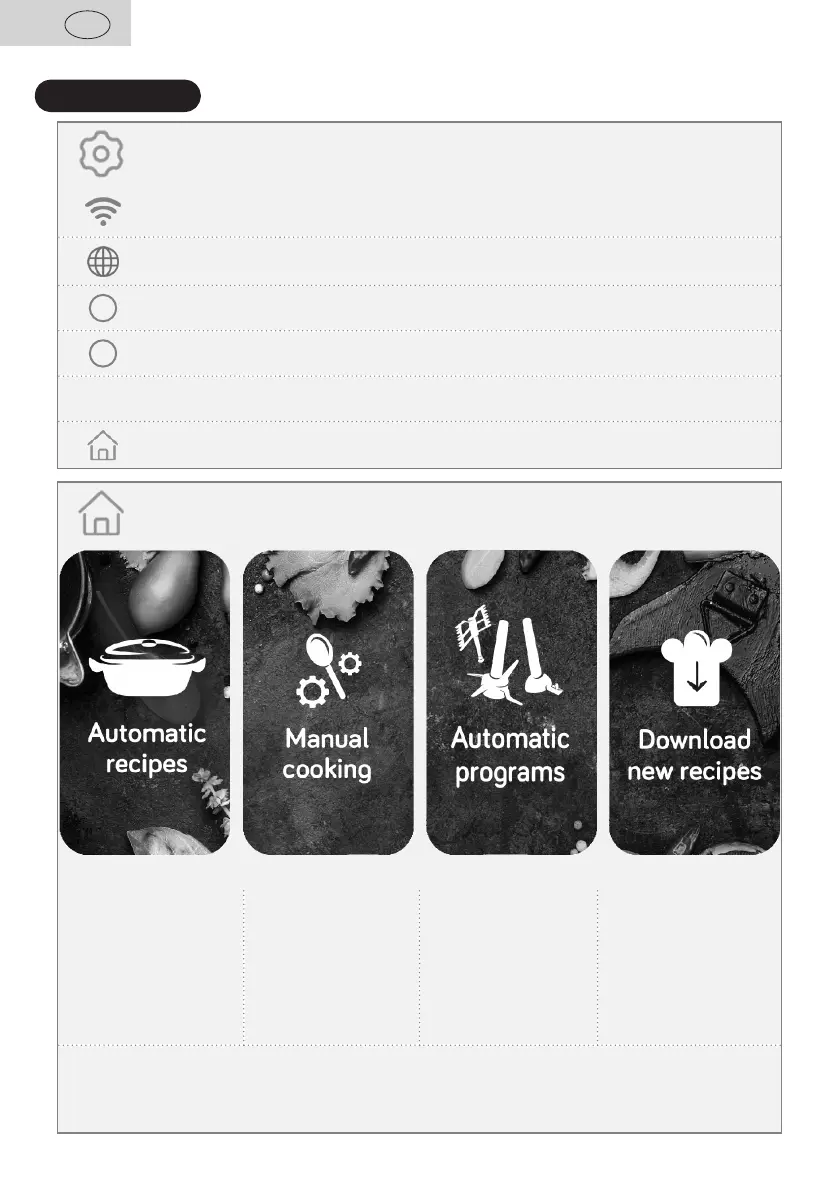
Menu
It serves for selecting a network and entering a password for connection.
Here you can choose a language of the appliance menu.
i
It can be used for software update or renewal.
?
Here you can find fast instruction manual.
<
Back Use it for the return to one step back.
Home Use it for the return to the main menu.
Menu
Choose one of the
prepared recipes with
a review of ingredients
and a preset method of
cooking.
Set temperature, time
and speed of mixing or
cooking according to
your preferences.
Choose one of
the prepared methods
of meal preparation with
recommended settings.
If new recipes are
available, you may
download them to your
appliance.
In this menu, you may click by a finger to a proper icon on the display and select
a function which you want to use.


 To Next Page