ETC Installation Guide
ColorSource Linear v1.7
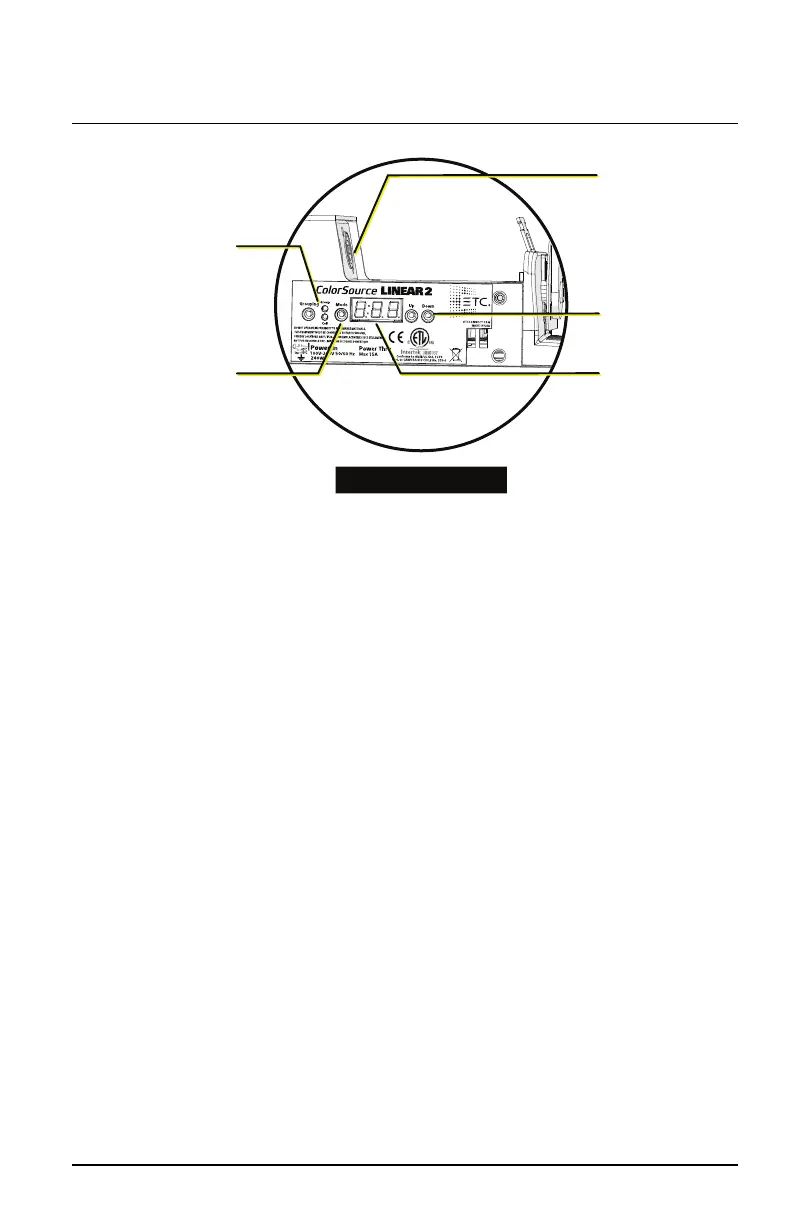
Grouping button
and LED indicators
Power and data
connectors are
paired on each
side to facilitate
daisy-chaining
Mode button
Up and Down
buttons
User interface
(display)
Linear 2 and Linear 4
Power Up
Press any button to wake the display. The display shows the DMX address.
See
Set the DMXAddress below
.
You can press the Mode button to access the Presets/Sequences menu. See
Play Presets and Sequences on page12
.
Adjust the Tilt
The fixture can be tilted up and down as needed.
1. Loosen, but do not remove the two trunnion locking knobs.
2. Tilt the fixture to the desired angle.
3. Tighten the trunnion locking knobs.
Set the DMXAddress
1. Press any button to wake the display. The display shows the DMX
address.
2. Use the Up and Down buttons to select the DMX address for the
fixture.
You can also use RDM for DMX addressing. See
Use RDM
.
ColorSource Linear Page 7 of 20 ETC


 To Next Page