Check the switch settings here before you replace the board. If one of the switches
on S1 is set to on, turn it to off and continue to monitor the issue. It may go away
now. This is a programming switch that was left on in production and can cause
intermittent loss of video, although it should only rarely do this.
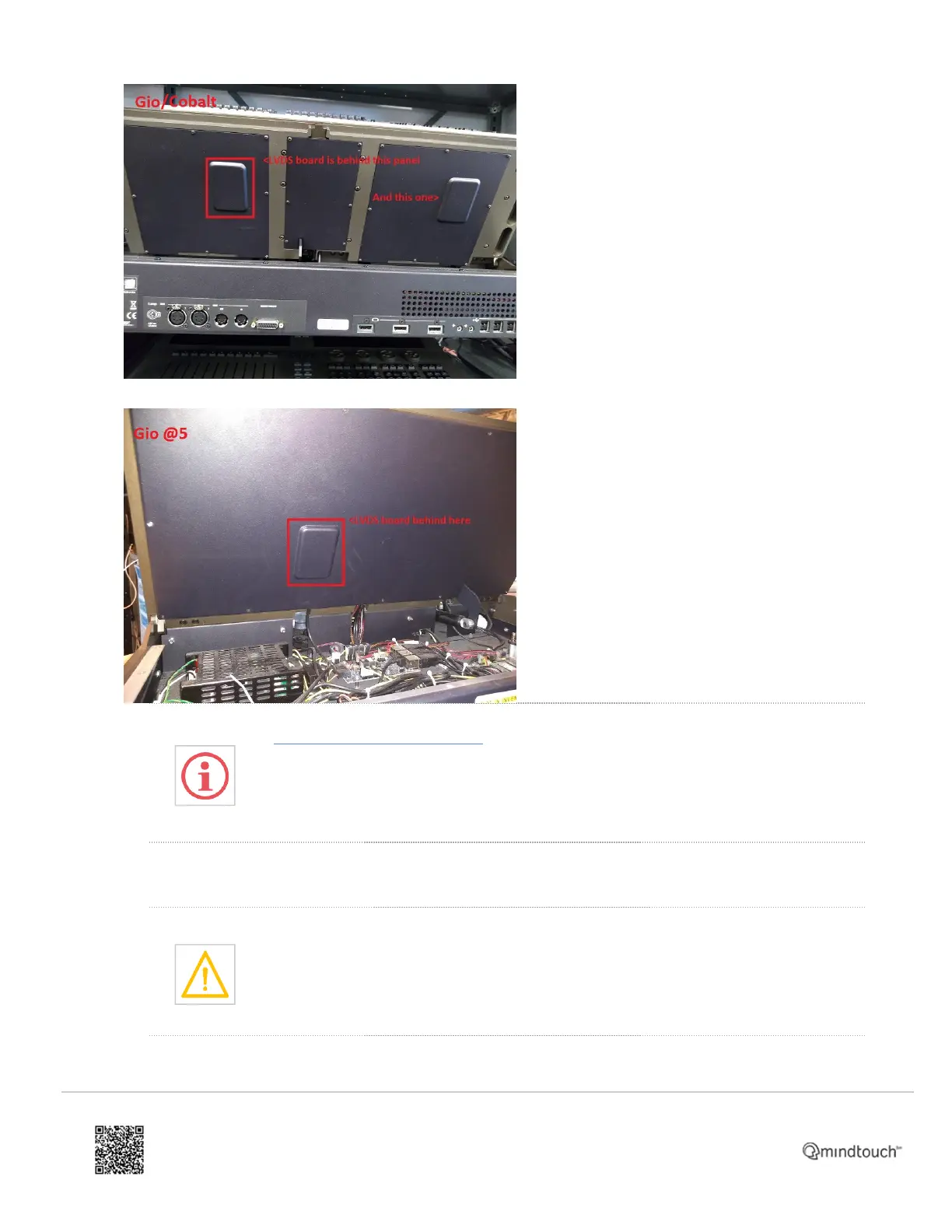
4. Remove the 4 screws at the corners of the LVDS board shown below. It may be best to remove the board (4
screws at the corners) before disconnecting the
cables and replacing the board.
Be sure not to pull on the cable connected to the screen itself as it is very delicate.
https://support.etcconnect.com/ETC/Consoles/Eos_Family/Gio_@5/How_to_replace_LVDS_cards_in_a_Gio%2C_Eos_Ti%2…
Updated: Tue, 14 Sep 2021 04:01:28 GMT
Powered by
2



 To Next Page