EasyManua.ls Logo

ETC VM-10 - Page 16

ETC VM-10
19 pages
Print Icon
To Next Page IconTo Next Page
To Previous Page IconTo Previous Page
Loading...
VM-10 Installation Guide Rev 05.12 Page 16 of 19 Essential Trading Systems Corp.
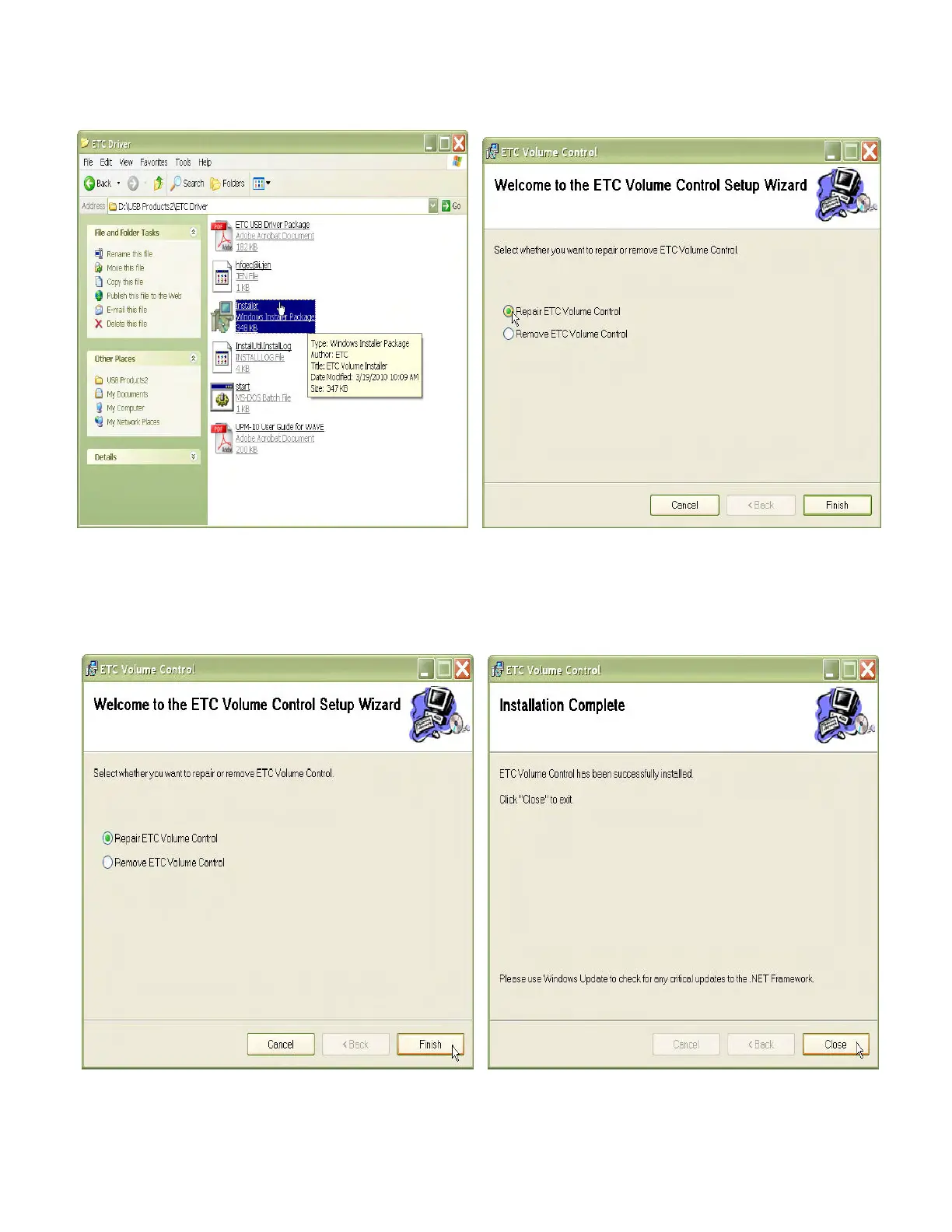
In the ETC Driver folder click on the
W
W
i
i
n
n
d
d
o
o
w
w
s
s
I
I
n
n
s
s
t
t
a
a
l
l
l
l
e
e
r
r
P
P
a
a
c
c
k
k
a
a
g
g
e
e icon (Figure 46). In the
E
E
T
T
C
C
V
V
o
o
l
l
u
u
m
m
e
e
C
C
o
o
n
n
t
t
r
r
o
ol window click on the
R
R
e
e
p
p
a
a
i
i
r
r
E
E
T
T
C
C
V
V
o
o
l
l
u
u
m
m
e
e
C
C
o
o
n
n
t
t
r
r
o
o
l
l circle (Figure 47).
Figure 46 Figure 47
Click the
F
F
i
i
n
n
i
i
s
s
h
h button (Figure 48). When
I
I
n
n
s
s
t
t
a
a
l
l
l
l
a
a
t
t
i
i
o
o
n
n
C
C
o
o
m
m
p
p
l
l
e
e
t
t
e
e
is shown
,
,
click the
C
C
l
l
o
o
s
s
e
e button
(Figure 49). The actual Batch file must be started now.
Figure 48 Figure 49