VM-10 Installation Guide Rev 05.12 Page 15 of 19 Essential Trading Systems Corp.
Appendix
Microsoft .NET Framework 4 (Option)
Note: The following steps are highly recommended if the microphone will be unplugged on a
regular basis.
When a USB audio device is disconnected the volume levels usually revert back to the factory
default settings. For maximum ETC equipment operation, these levels need to be set and stay
constant. The provided ETC Utility (installed later in this guide) uses Microsoft’s .NET Framework
4 to achieve this. Microsoft's .NET Framework 4 is free and can be downloaded at
http://www.microsoft.com/NET/
ETC Driver Utility Installation (Option)
ETC’s Driver Utility makes sure the volume settings remain constant. This is a service running in
Windows, not actually a driver in the strict sense. As the volume changes these values are written
to the Registry. When a microphone is removed and later re-plugged, the previous volume levels
are read out of the registry and set in the Windows mixer panel.
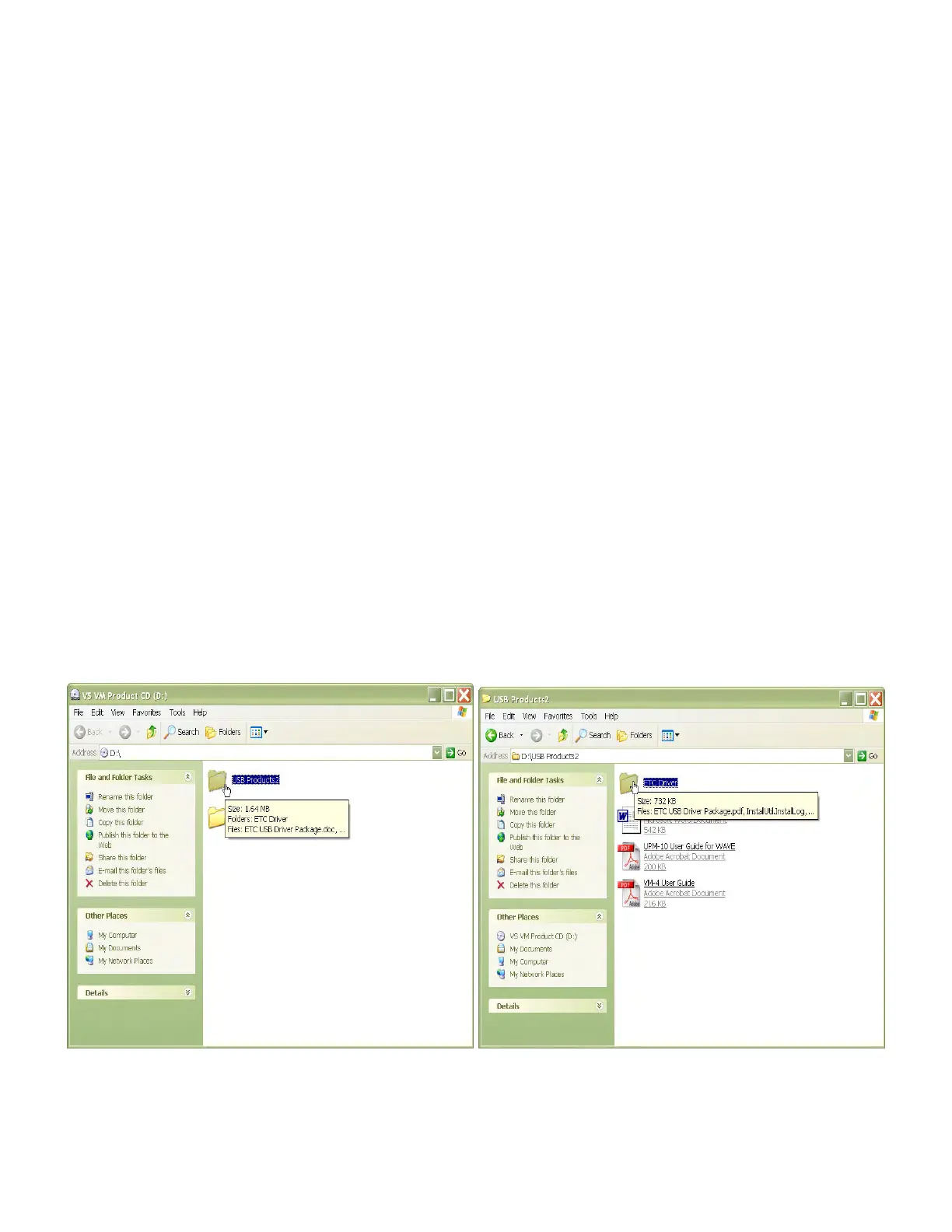
Insert the provided Utility disc (Figure C, pg. 3) and open the
U
U
S
S
B
B
P
P
r
r
o
o
d
d
u
u
c
c
t
t
s
s
2
2 folder (Figure 44). In
the
U
U
S
S
B
B
P
P
r
r
o
o
d
d
u
u
c
c
t
t
s
s
2
2 folder, open the
E
E
T
T
C
C
D
D
r
r
i
i
v
v
e
e
r
r Folder (Figure 45)
.
Figure 44 Figure 45



 To Next Page