VM-10 Installation Guide Rev 05.12 Page 4 of 19 Essential Trading Systems Corp.
Hardware Connections
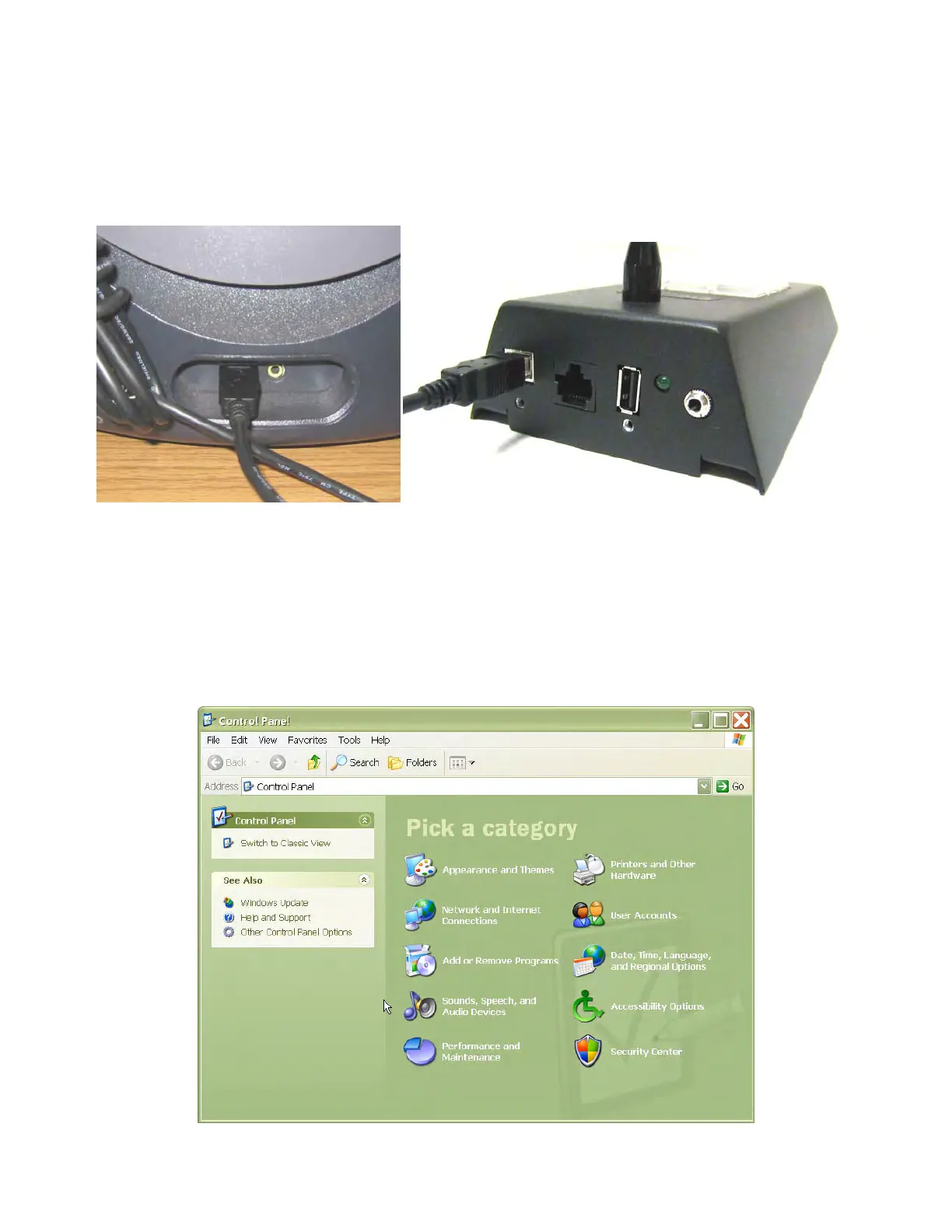
Plug the “A” end of the USB 2.0 cable into an available USB 2.0 port on your computer (Figure D)
and the “B” end into the back of the VM-10 (Figure E). Upon properly connecting the VM-10 it will
install automatically with Windows/Linux drivers when you power on your computer.
Figure D Figure E
Windows Audio Device Hardware Configuration
Click on
S
S
o
o
u
u
n
n
d
d
s
s
,
,
S
S
p
p
e
e
e
e
c
c
h
h
,
,
a
a
n
n
d
d
A
A
u
u
d
d
i
i
o
o
D
D
e
e
v
v
i
i
c
c
e
e
s
s icon located in the
C
C
o
o
n
n
t
t
r
r
o
o
l
l
P
P
a
a
n
n
e
e
l
l
(Figure 1).
Figure 1


 To Next Page