EasyManua.ls Logo

ETC VM-10 - Speaker Mixer Window; Microphone Properties

ETC VM-10
19 pages
Print Icon
To Next Page IconTo Next Page
To Previous Page IconTo Previous Page
Loading...
VM-10 Installation Guide Rev 05.12 Page 6 of 19 Essential Trading Systems Corp.
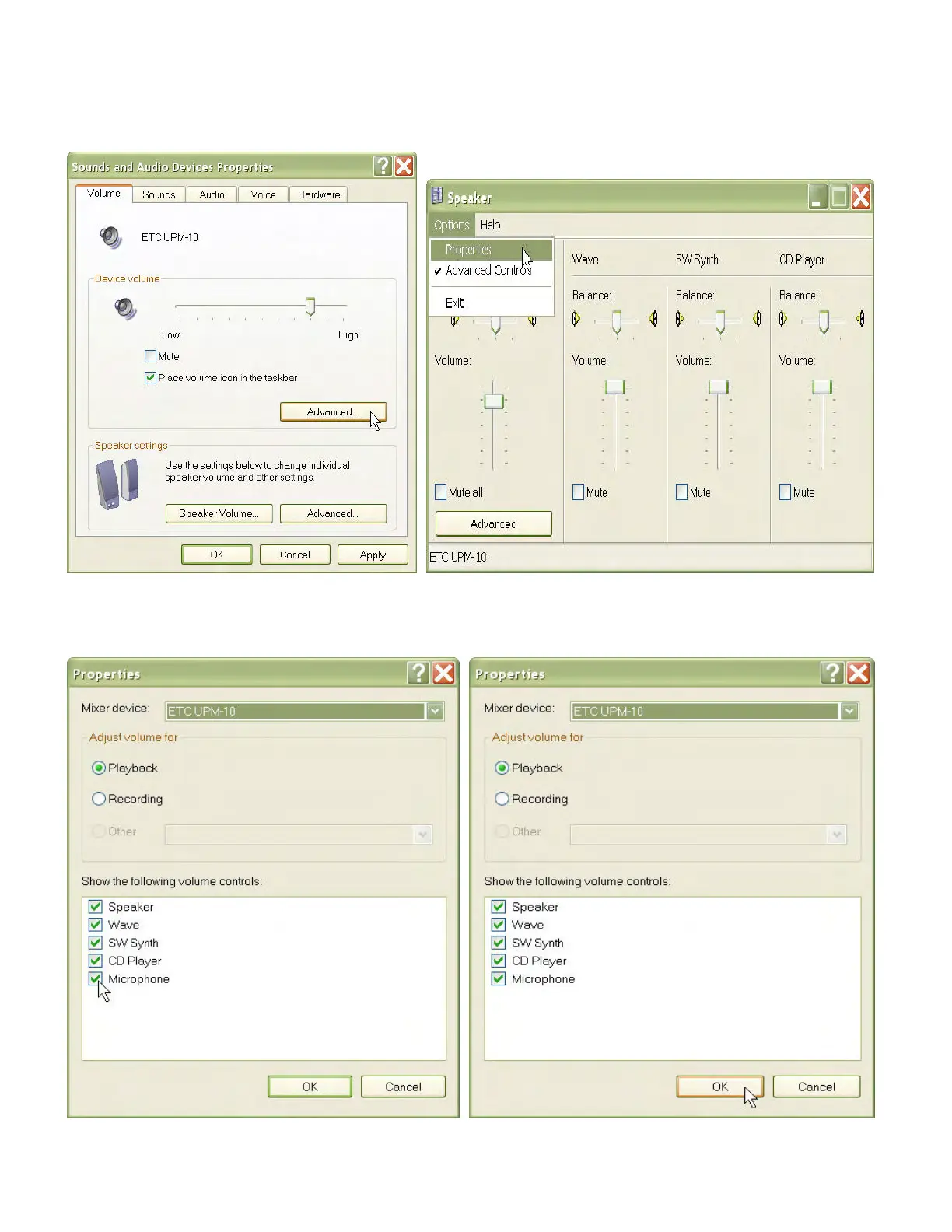
Click on the
A
A
d
d
v
v
a
a
n
n
c
c
e
e
d
d button in the
D
D
e
e
v
v
i
i
c
c
e
e
v
v
o
o
l
l
u
u
m
m
e
e box (Figure 6). The ETC VM-10
S
S
p
p
e
e
a
a
k
k
e
e
r
r mixer
window will open. If your window does NOT show a
M
M
i
i
c
c
r
r
o
o
p
p
h
h
o
o
n
n
e
e device you will need to activate it.
From the
O
O
p
p
t
t
i
i
o
o
n
n
s
s drop down menu choose
P
P
r
r
o
o
p
p
e
e
r
r
t
t
i
i
e
e
s
s (Figure 7).
Figure 6 Figure 7
In the
P
P
r
r
o
o
p
p
e
e
r
r
t
t
i
i
e
e
s
s window
check the
M
M
i
i
c
c
r
r
o
o
p
p
h
h
o
o
n
n
e
e box (Figure 8) then click the
O
O
K
K button (Figure 9).
Figure 8 Figure 9