ETC Service Note
Congo™ jr Encoder Replacement
Congo™ jr Encoder Replacement Page 15 Electronic Theatre Controls, Inc.
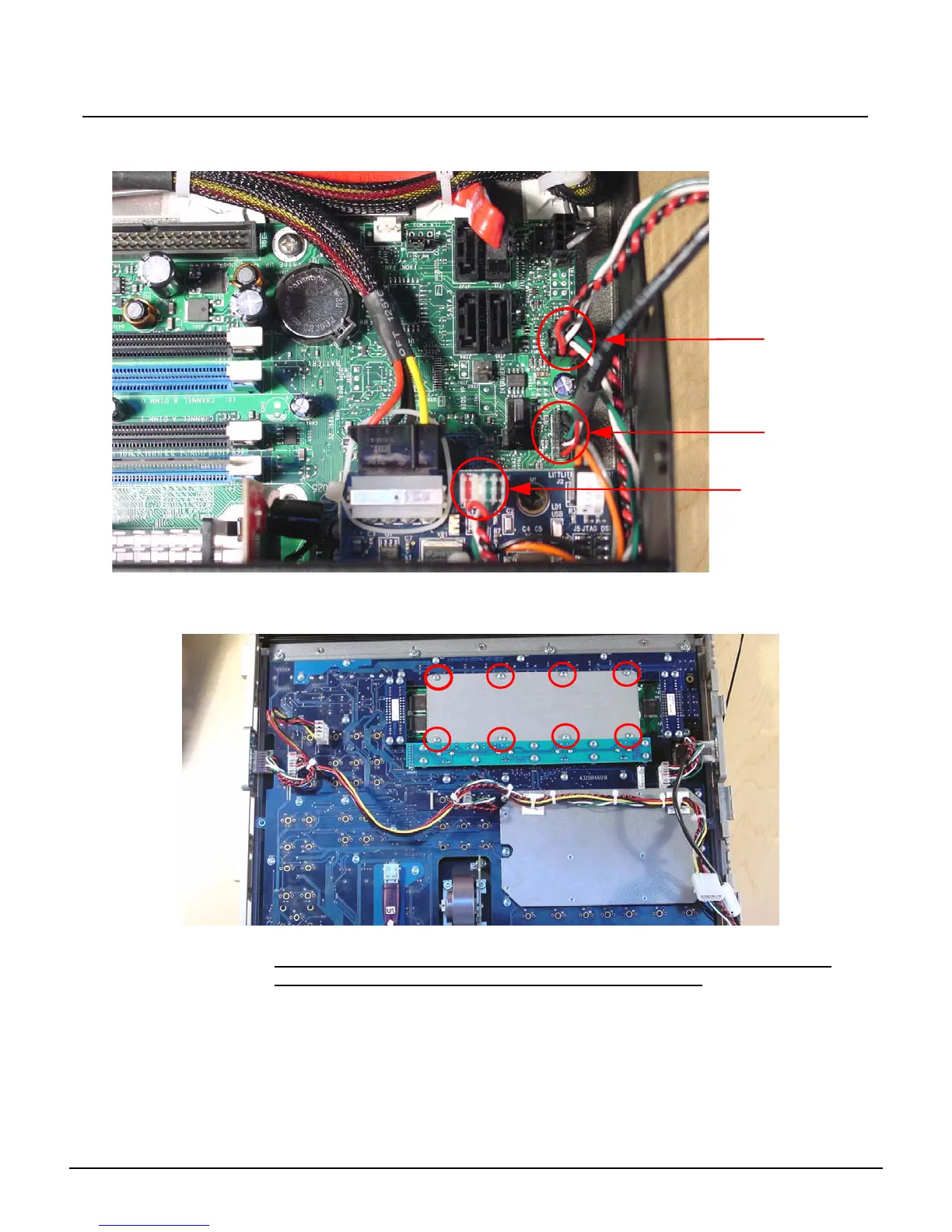
Step 8: Disconnect the J1 USB uplink from the I/O card.
Step 9: Disconnect the face panel USB 1&2 connectors from the Congo jr Motherboard.
Step 10: Clip the zip ties holding the face panel cables to the base of the unit.
Step 11: Carefully set the Congo jr face panel face down exposing the back side of the face
panel PCB.
Step 12: Remove the 8 short screws from the LCD pressure plate.
NOTE: Be sure that you keep these 8 screws separated from the other face
panel screws as these are shorter screws than the others.
FP USB 1
FP USB 2
J1 - USB Uplink



 To Next Page