ETC Service Note
Congo™ jr Encoder Replacement
Congo™ jr Encoder Replacement Page 16 Electronic Theatre Controls, Inc.
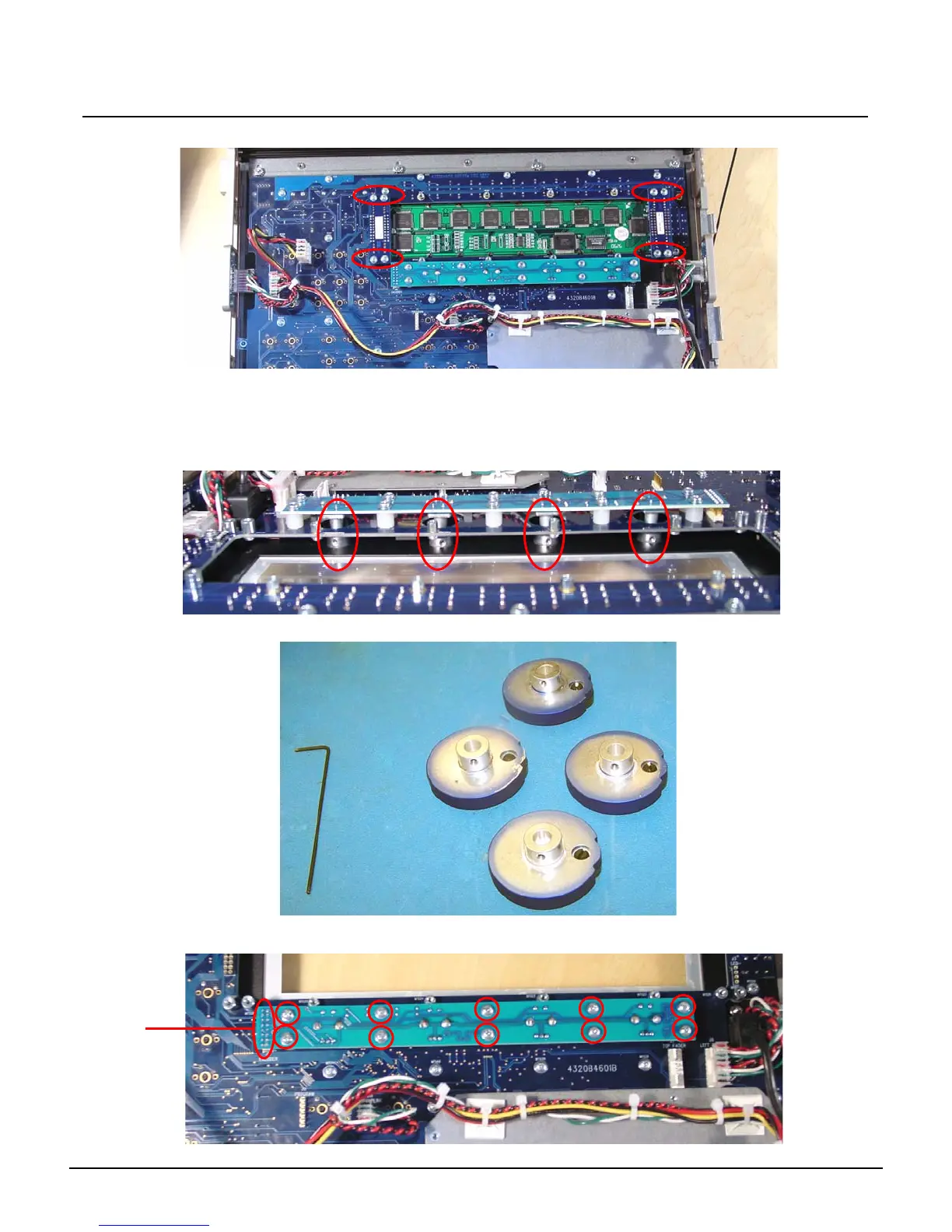
Step 13: Remove the 8 face panel LCD Jumper screws
Step 14: Lightly lift each side of the LCD screen socket circuit board to remove the LCD Screen
from the Congo jr face panel.
Step 15: With the LCD screen removed from the face panel, you can now access the encoder
knob shafts.
Step 16: Spin the encoder shaft until the hex nut is visible.
Step 17: Loosen the hex nut until the encoder falls from the shaft.
Step 18: Loosen all 10 screws from the encoder PCB board.
Soldered
Pins



 To Next Page