ETC Service Note
Congo™ jr Video Card Replacement
Congo™ jr Video Card Replacement Page 20 Electronic Theatre Controls, Inc.
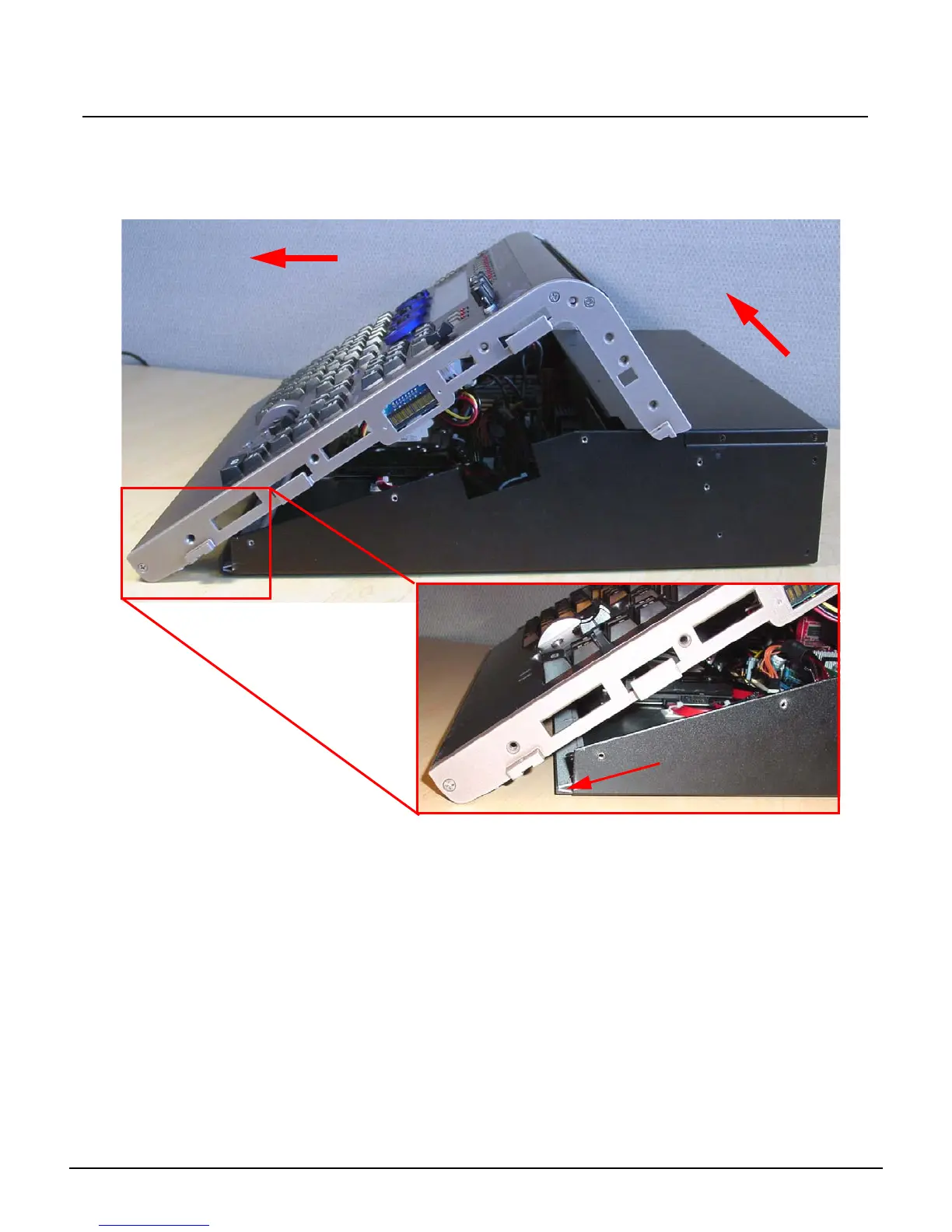
Step 5: Flip the console back onto the base.
Step 6: Lift the back side of the face panel upwards away from the base.
Step 7: Slide the face panel towards the front of the console. The face panel will slip under
the base pressure plate.
Step 8: Rest the face panel off to the left side of the base unit. (the side with the DMX
connectors) There is no need to remove the face panel cables when replacing the
video card.
1. Tilt face panel upwards
2. Slide face panel forwards
Base Pressure Plate



 To Next Page