ETC Service Note
Congo™ jr Video Card Replacement
Congo™ jr Video Card Replacement Page 21 Electronic Theatre Controls, Inc.
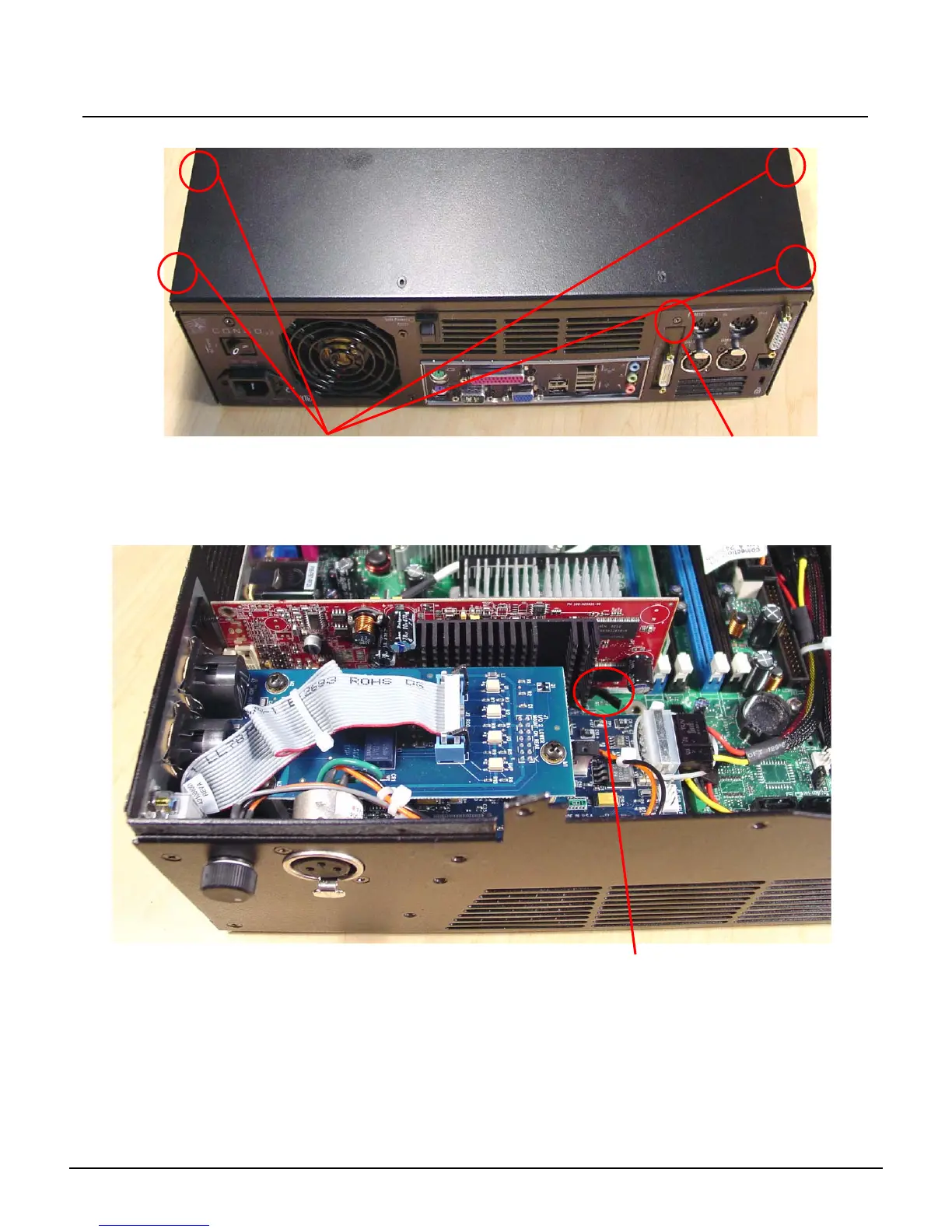
Step 9: Remove all 5 screws from both sides and the rear of the base.
Step 10: Remove the base cover, and set aside.
Step 11: Locate the AGP video card near the MIDI and DMX connectors.
Step 12: Pull back the AGP slot locking tab towards the DMX I/O Card. At the same time, pull
the video card up and out of the AGP slot.
Remove these screws
(located on side of chassis)
Remove this screw
Pull APG slot tab towards
DMX I/O Card



 To Next Page