ETC Service Note
Congo™ jr Hard Drive Replacement
Congo™ jr Hard Drive Replacement Page 25 Electronic Theatre Controls, Inc.
Step 8: Rest the face panel off to the left side of the base unit. (the side with the DMX
connectors) There is no need to remove the face panel cables when replacing the
hard drive.
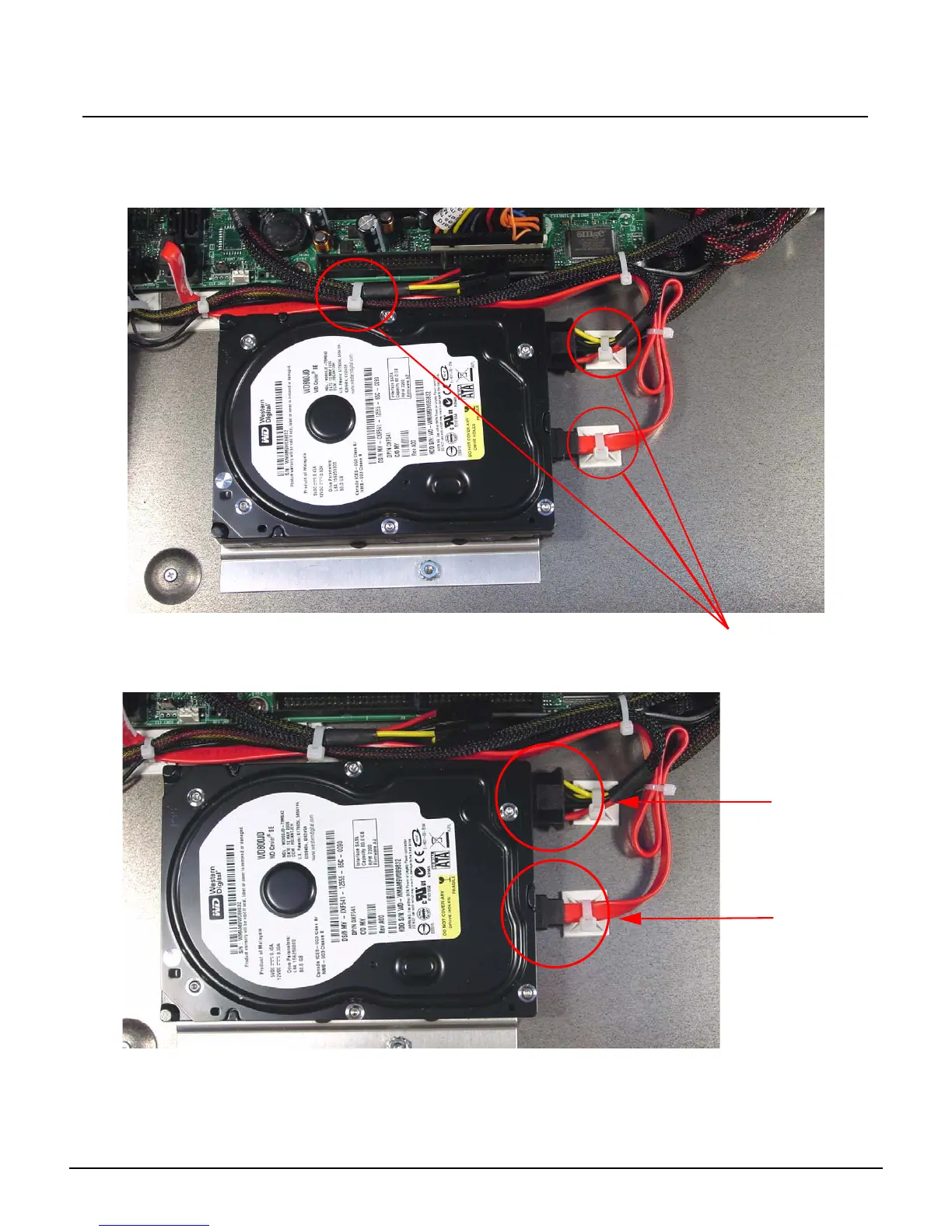
Step 9: Clip all 3 zip ties holding the Power supply and SATA cables.
Step 10: Disconnect the Power and SATA connectors from the hard drive.
Remove these zip ties
Power Cable
SATA Cable



 To Next Page