ETC Service Note
Congo™ jr Hard Drive Replacement
Congo™ jr Hard Drive Replacement Page 26 Electronic Theatre Controls, Inc.
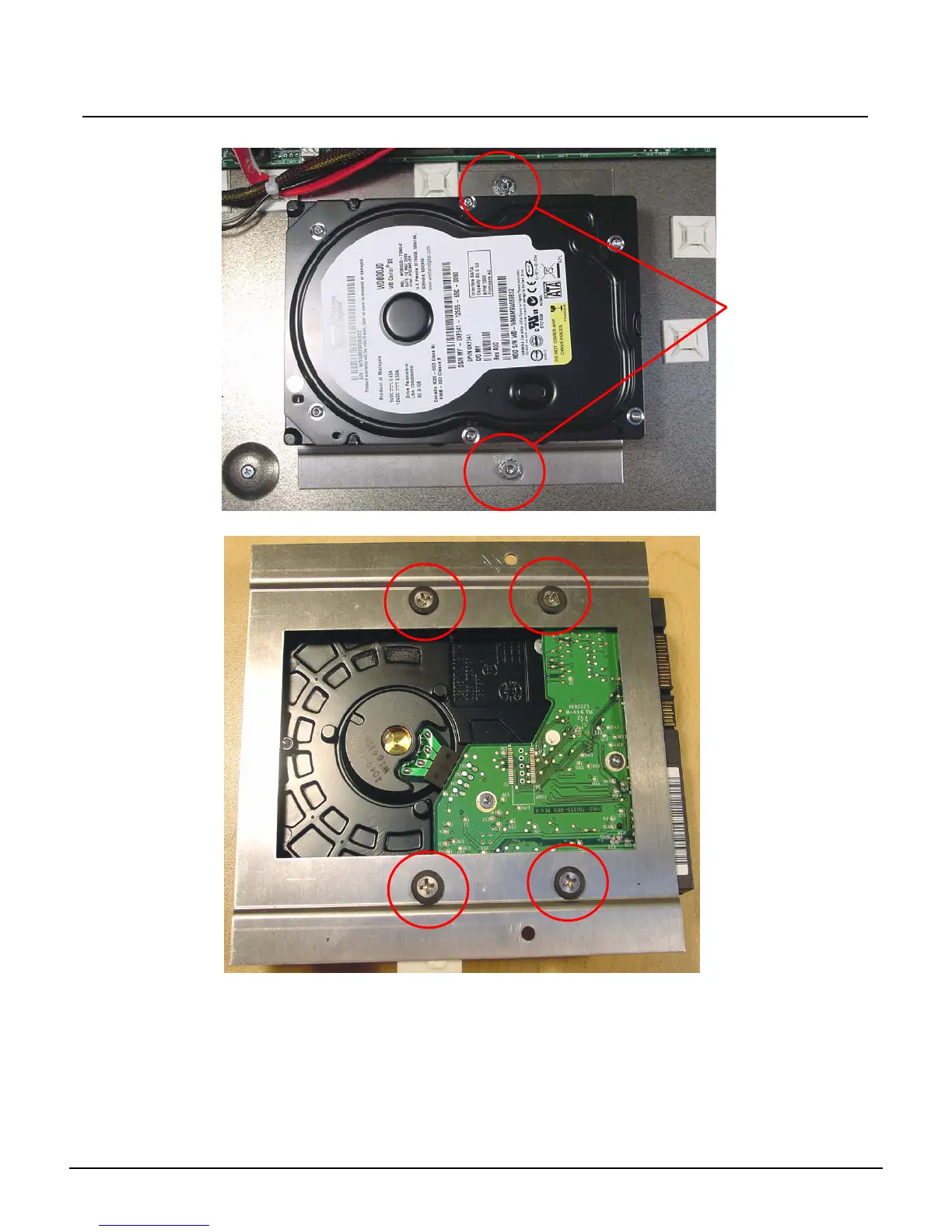
Step 11: Using a 5/16” nut driver, remove both nuts from the hard drive plate.
Step 12: Remove all 4 Hard Drive Plate Screws.
Step 13: Swap the old Hard Drive fo rthe one one. Replace all four screws holding it to the Hard
Drive Mounting plate.
Step 14: Place the Hard Drive Plate over the screws and tighten down both 5/16” nuts.
Step 15: Re-attach the Hard Drive Power and SATA cables back into the hard drive.
Step 16: Replace all 3 zip ties around the sticky backs.
Step 17: Trim the excess tail off the zip ties.
Remove both
5/16” nuts



 To Next Page