ETC Service Note
Congo™ jr Main Board Replacement
Congo™ jr Main Board Replacement Page 44 Electronic Theatre Controls, Inc.
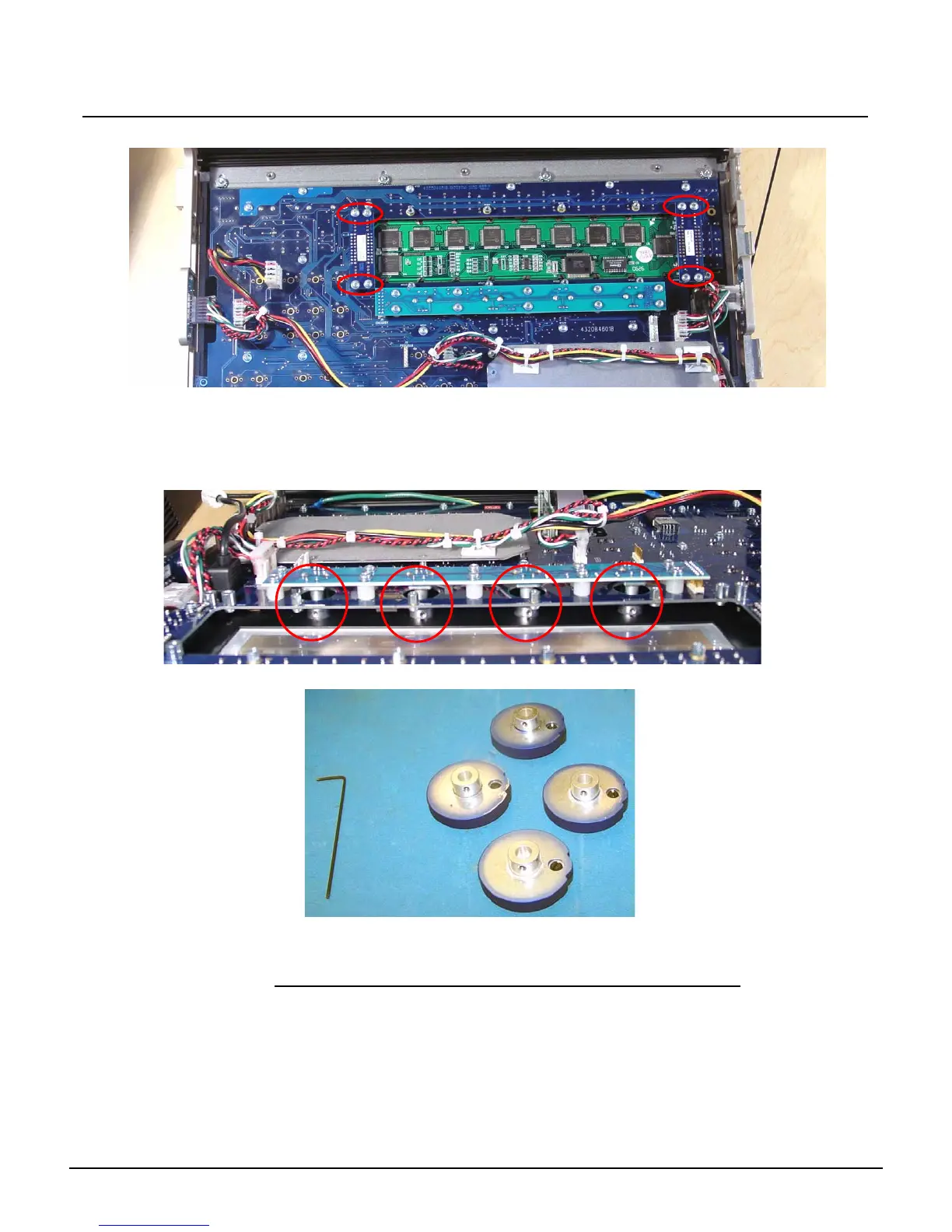
Step 13: Remove the 8 face panel LCD jumper screws
Step 14: Lightly lift each side of the LCD screen socket circuit board to remove the LCD screen
from the Congo jr face panel and set it aside.
Step 15: With the LCD screen removed from the face panel, you can now access the encoder
knob shafts.
Step 16: Spin the encoder shaft until the hex nut is visible.
Step 17: Loosen the hex nut until the encoder falls from the shaft.
Step 18: Flip the face panel back over exposing the keypad and faders.
Step 19: Lift up the Independents, and BO, ON, FREEZE knob caps.
NOTE: You can lift these caps up with the tip of your fingernail.
Step 20: Once you expose the inside of the knob, you can remove it by loosening the internal
nut inside the knob with the 5/16" nut driver.
Step 21: Remove the 3 fader caps from the Grandmaster and A/B Fader Pair.
Step 22: Flip the face panel back over on the front side.



 To Next Page