ETC Service Note
Congo™ jr v4.3 I/O Software Code Installation
Congo™ jr v4.3 I/O Software Code Installation Page 56 Electronic Theatre Controls, Inc.
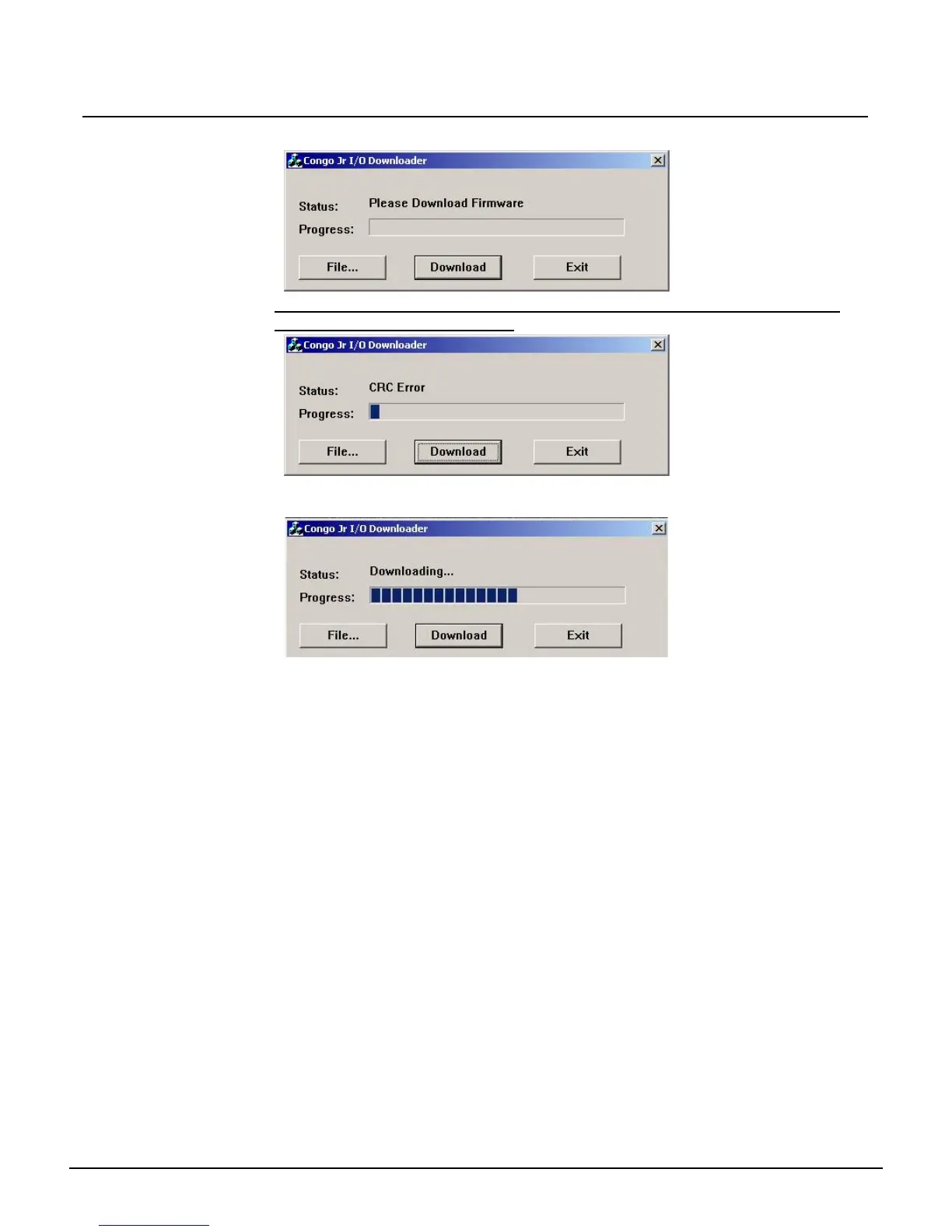
Step 18: Click on the Download button
Note: In some instances you will see a "CRC Error," disregard this error; the
software will continue to install.
Step 19: The software update will take about 30 seconds. The progress bar will show the
installation status.
Step 20: The status will indicate that the progress has finished and display "Download
Complete." When this message is displayed click the Exit button. The Congo jr
console will reboot
Step 21: Remove the USB flash drive while the Congo jr is rebooting
Step 22: After the Congo jr has rebooted, at the main login screen, select shut down.
Physically switch off the desk and back on.
Step 23: Your Firmware update is now complete.
If you have any questions on this update, please contact ETC Technical Services.



 To Next Page