Need help?
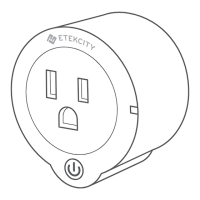
Do you have a question about the ETEKCITY Voltson and is the answer not in the manual?
Guide on downloading the VeSync app and initial setup for iOS.
Detailed steps to configure the device using APN mode.
Instructions on how to turn the smart outlet on or off via the app.
How to schedule and repeat actions for the smart outlet.
Configure actions based on power usage thresholds.
Set a countdown for the outlet to automatically turn off.
Schedule specific on/off actions for a single date and time.
View the device's historical power consumption data.
Review the usage and action history of the device.
Download firmware and edit device settings.
Guide on downloading the VeSync app and initial setup for Android.
Detailed steps to configure the device using APN mode for Android.
Instructions for Android users to turn the outlet on/off.
Schedule actions for Android users.
Set power triggers for Android users.
Set countdowns for Android users.
Set timed actions for Android users.
View power consumption and action history.
Upgrade firmware and edit device settings.
Steps to re-configure the smart outlet.
Delete devices, log out, and share device controls.
Common issues and solutions for the smart outlet.
Contact information for customer support.
Details about the product's warranty terms and policy.
Technical details and requirements of the smart outlet.
Compliance information regarding FCC regulations.
 General
| Brand | ETEKCITY |
|---|---|
| Model | Voltson |
| Category | Home Automation |
| Language | English |


 To Next Page