9
Tools
Tools
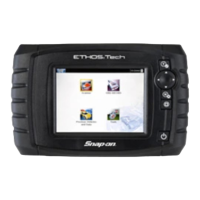
Tools allows you to change the ETHOS Tech settings to your
preferences and transfer saved data files to your PC.
Menu options:
• Connect to PC - transfer saved data files to your PC using a USB
cable and ShopStream Connect
™
(see ShopStream Connect below).
• Configure Shortcut Button - change the function of the Shortcut
button to one of five options
• Settings - change and adjust display and unit measurement settings to
your preferences
• System Information - displays software version, serial number and
system information
ShopStream Connect / Software Updates and
Upgrades
ShopStream Connect (PC-based software), available at
http://diagnostics.snapon.com/ssc allows you to:
• Download software updates from the Internet and install them on your
ETHOS Tech.
• Transfer data files bi-directionally between the ETHOS Tech and your
PC.
• Save and manage your data files on your PC.
• View, and print your data files using your PC.
• Add or edit notes and comments to your data files.
Software service releases (updates) and upgrades are provided
periodically. When the ETHOS Tech is connected to your PC using
SSC, the SSC software will automatically check for upgrades and
provide installation instructions. Follow the screen prompts to
accept, download and install the software.
Complete ShopStream Connect download and operation
instructions can be found in the ShopStream Connect User Manual,
available at: http://diagnostics.snapon.com/usermanuals
Complete ETHOS Tech software upgrade instructions can be found
in the ETHOS Tech User Manual on the CD included with your
ETHOS Tech kit.


 To Next Page