6
Basic Operation
Screen Layout
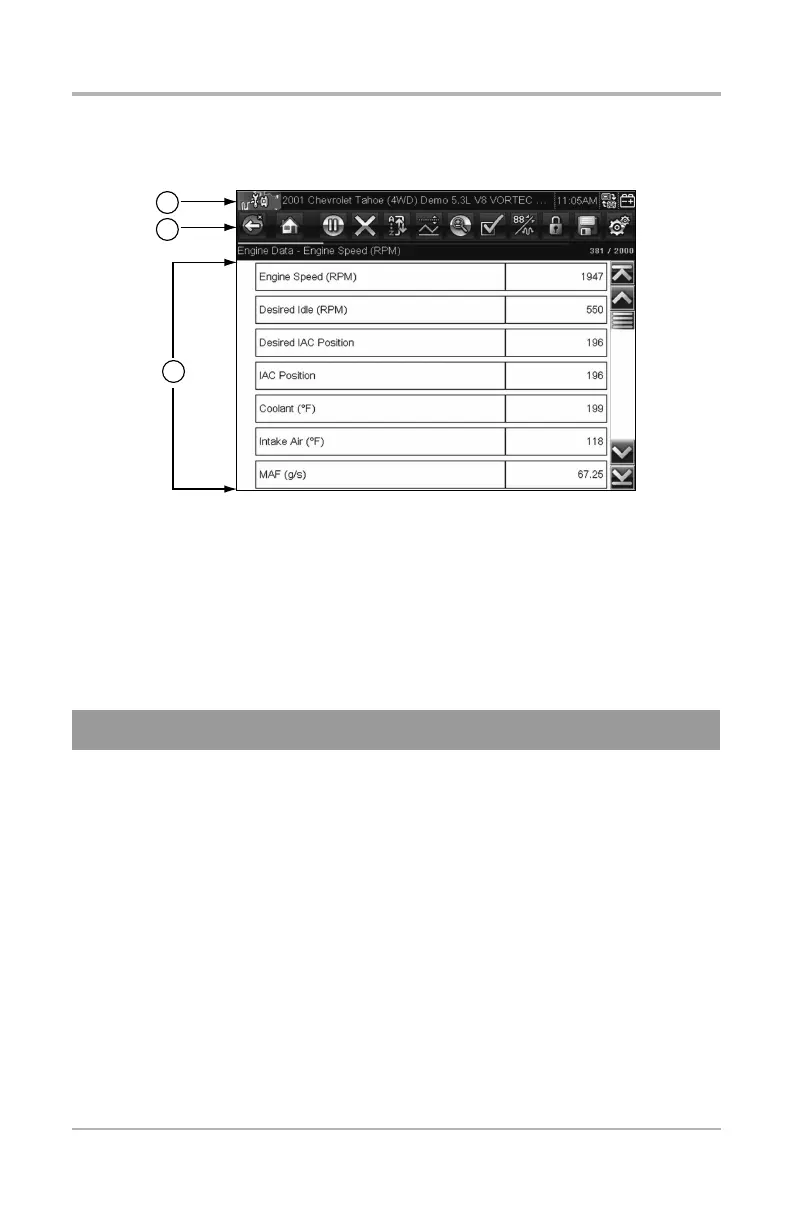
ETHOS Tech screens typically include three sections:
1) Title bar—displays information such as, active test, vehicle ID, current time,
power source indicator and vehicle communication indicator
2) Toolbar—contains test information and control icons
3) Main body—displays menus and test data. A vertical scroll bar
(right-hand edge) displays when there is additional data
Basic Operation
Scanner allows the ETHOS Tech to communicate with the
electronic control systems of a vehicle, to retrieve diagnostic trouble
codes (DTCs), view parameter data and perform diagnostic tests.
Scanner testing requires data cable connection to a vehicle data link
connector (DLC). Depending on the vehicle, the supplied DA-4 data
cable may be used alone or may require optional adapters.


 To Next Page